
How AI Visual Recognition Works
AI identification starts with a photo and ends with an answer. Between those two points, a convolutional neural network - the type of AI architecture purpose-built for image analysis - breaks your photo into thousands of features: edges, textures, color gradients, shapes, and spatial relationships. These features get compared against patterns the model learned during training on millions of labeled images. The result is a prediction, usually with a confidence score, telling you what the AI thinks it's looking at. AI identification can misclassify objects, especially rare or ambiguous subjects, and should not be used as a sole authority for safety-critical decisions like identifying poisonous plants or wildlife.
What makes modern visual AI genuinely useful, rather than a party trick, is the depth of training data behind it. Early image recognition could tell a cat from a dog. Current models distinguish between 400 dog breeds, identify plant diseases from leaf discoloration, and recognize architectural styles across centuries. I first took this seriously when an AI tool correctly identified a rare succulent I'd been trying to name for weeks - from a slightly blurry photo taken through a greenhouse window. That's the moment where "interesting technology" becomes "tool I actually need."

What AI Can Identify From Photos
The honest answer is: more than you'd expect, less than you'd hope. Plants are the strongest category - most AI identification tools handle thousands of species with high accuracy from photos of leaves, flowers, bark, or fruit. Animals follow closely, especially dog breeds, cat breeds, bird species, and common insects. Landmarks and famous buildings are well-covered globally. Food identification has improved dramatically, including specific dishes and ingredients. Text extraction from images works in dozens of languages, even on handwritten notes.
Where AI identification still struggles: heavily damaged or decayed objects, extreme close-ups without context, rare or region-specific species, mixed-breed animals, unlabeled products, and anything that looks similar to multiple categories. A photo of a small brown bird in dim lighting will give you five possible species, not one definitive answer. That's not a failure - it's the system being honest about ambiguity. The best tools present multiple possibilities ranked by confidence rather than pretending certainty they don't have.
Real-World Use Cases That Actually Matter
The use cases for AI identification extend far beyond curiosity. Hikers use it to identify unknown plants on trails - particularly important for distinguishing edible species from toxic lookalikes. Gardeners photograph pests and diseases for instant diagnosis. Travelers point their cameras at foreign text on menus, signs, and documents and get real-time translations. Students photograph equations, diagrams, and textbook pages for AI-assisted study. Home inspectors photograph building materials for identification and age estimation.
The business applications are expanding fast. Retail companies use visual search to let customers photograph products and find matching items in their catalog. Insurance adjusters photograph damage and get AI-assisted estimates. Agricultural workers scan crops for disease detection at scale. Wildlife researchers automate species counting from camera trap footage. Each of these started as a niche experiment and has become a standard workflow. The technology crossed the threshold from "cool demo" to "daily tool" somewhere around 2023, and the accuracy improvements since then have been substantial.
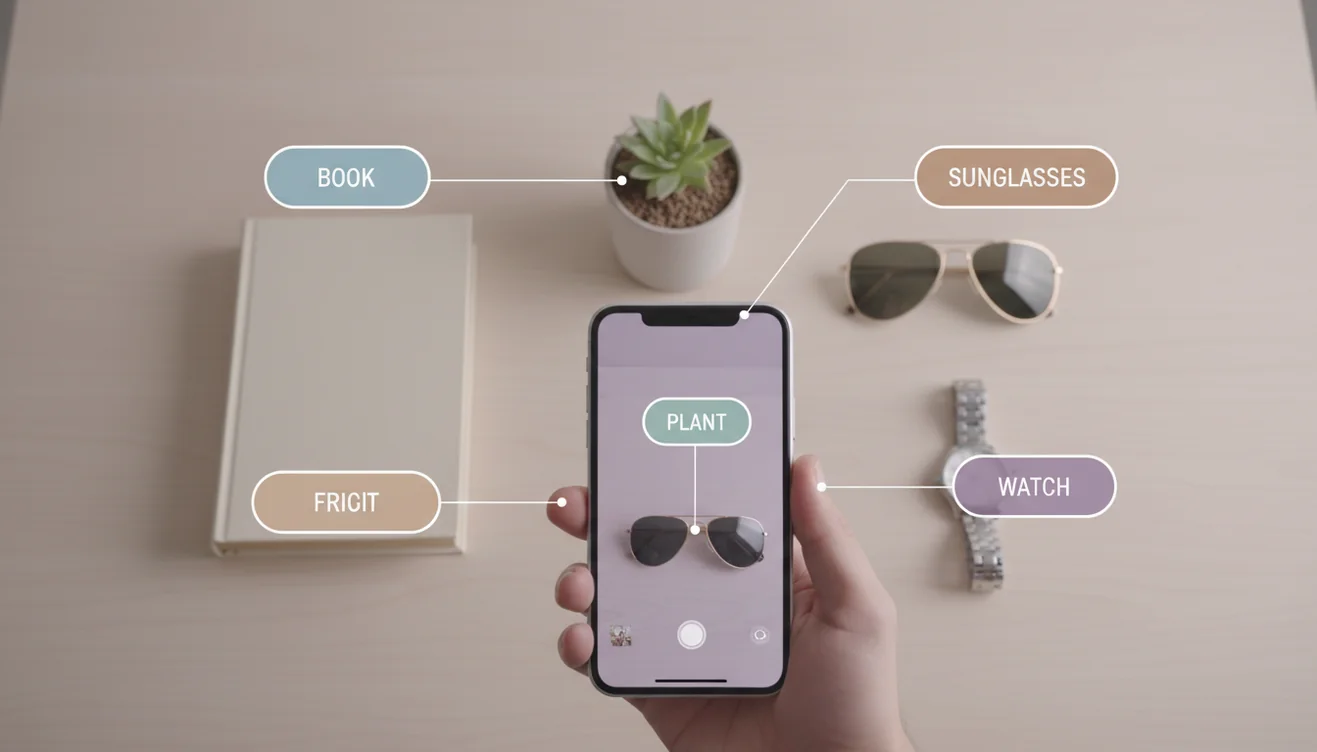
Tools for Identifying Anything With AI
The AI Identifier on ChatGOT lets you upload any image and get AI-powered identification directly in your browser. No app download, no account, no cost for daily use. Upload a photo of a plant, an animal, a landmark, a product, or a document, and the AI analyzes it and returns identification results with relevant details. It works on desktop and mobile browsers, making it the fastest path from "what is this?" to an actual answer.
For dedicated mobile identification, Lens: Image Search & Identify provides an on-device experience with broader visual search capabilities. It connects to extensive image databases for deeper identification results, handles real-time camera input, and works smoothly on iPhone and iPad. Apple Visual Intelligence provides built-in identification through Visual Look Up, but covers fewer categories than dedicated tools. The smart approach is layering these tools - Apple for quick system-level checks, Lens for thorough mobile identification, and AI Chat on ChatGOT for detailed questions about what you've identified.
Accuracy, Limitations, and What AI Gets Wrong
Accuracy in AI identification follows a predictable pattern: common subjects in clear photos get identified reliably, while everything else is a gradient of diminishing confidence. A well-lit photo of a sunflower gets identified correctly 99% of the time. A distant, blurry photo of a bird in a tree might yield five possible species. A photo of an obscure machine part might return nothing useful. Understanding this gradient makes you a better user - you learn to take better photos, provide multiple angles, and use identification results as starting points for further research rather than gospel.
The biggest limitation people miss is training data bias. AI identification tools are trained on datasets that skew toward popular, well-photographed subjects. A golden retriever has millions of training images. A rare beetle from a specific region might have dozens. This means the AI is confidently accurate for things most people encounter and progressively less reliable for specialized or regional subjects. It's not a flaw in the technology - it's a reflection of what data exists. As visual databases grow and more users contribute identified images, coverage expands, but the long tail of rare subjects will always lag behind.

Camera Tips for Better Identification
The quality of your photo determines the quality of the AI's answer - more than the model itself. Shoot in natural daylight whenever possible; artificial lighting casts color shifts that confuse species-level identification. Fill the frame with the subject so the AI has detail to work with, but include enough context for scale. For plants, photograph both the leaf and the flower if available - a leaf alone often narrows results to a genus, while a flower pins it to a species. For insects or small objects, use your phone's macro mode or tap to focus manually to avoid the soft blur that kills detail at close range. Avoid digital zoom; physically move closer instead. Two clear photos from different angles will outperform a single perfect shot because the AI can cross-reference features that aren't visible from one perspective.
Try AI Identification Now
The fastest way to identify anything with AI is to upload a photo to the AI Identifier on ChatGOT - it works instantly in your browser. For on-the-go identification from your phone, download Lens: Image Search & Identify from the App Store. And for unlimited AI chat, writing, image generation, and identification on mobile, download the AI Chat app from ChatGOT - free on iOS with access to every tool on the platform.