
What Apple Visual Intelligence Actually Is
Apple Visual Intelligence is Apple's umbrella term for the on-device AI features that analyze what your iPhone or iPad camera sees. It includes Visual Look Up - the feature that identifies plants, animals, landmarks, and objects in your photos - along with Live Text for extracting words from images and scene recognition that categorizes your photo library automatically. None of this requires an internet connection for the core processing, which is a genuine advantage over cloud-dependent alternatives. Visual AI identification is not always accurate - it can misidentify objects, especially rare species or niche items, and results should be verified when accuracy matters.
I started paying attention to Apple's visual AI after accidentally discovering that my iPhone could identify a specific breed of mushroom from a hiking photo. Not just "mushroom" - it gave me the actual species with a confidence indicator. That's the kind of moment where you realize the phone in your pocket has become genuinely smarter than you expected. The feature lives quietly inside the Photos app and camera, with no dedicated app or marketing splash. Most iPhone users have it and don't know it exists. That's classic Apple: powerful capability, buried in an interface that doesn't advertise itself.
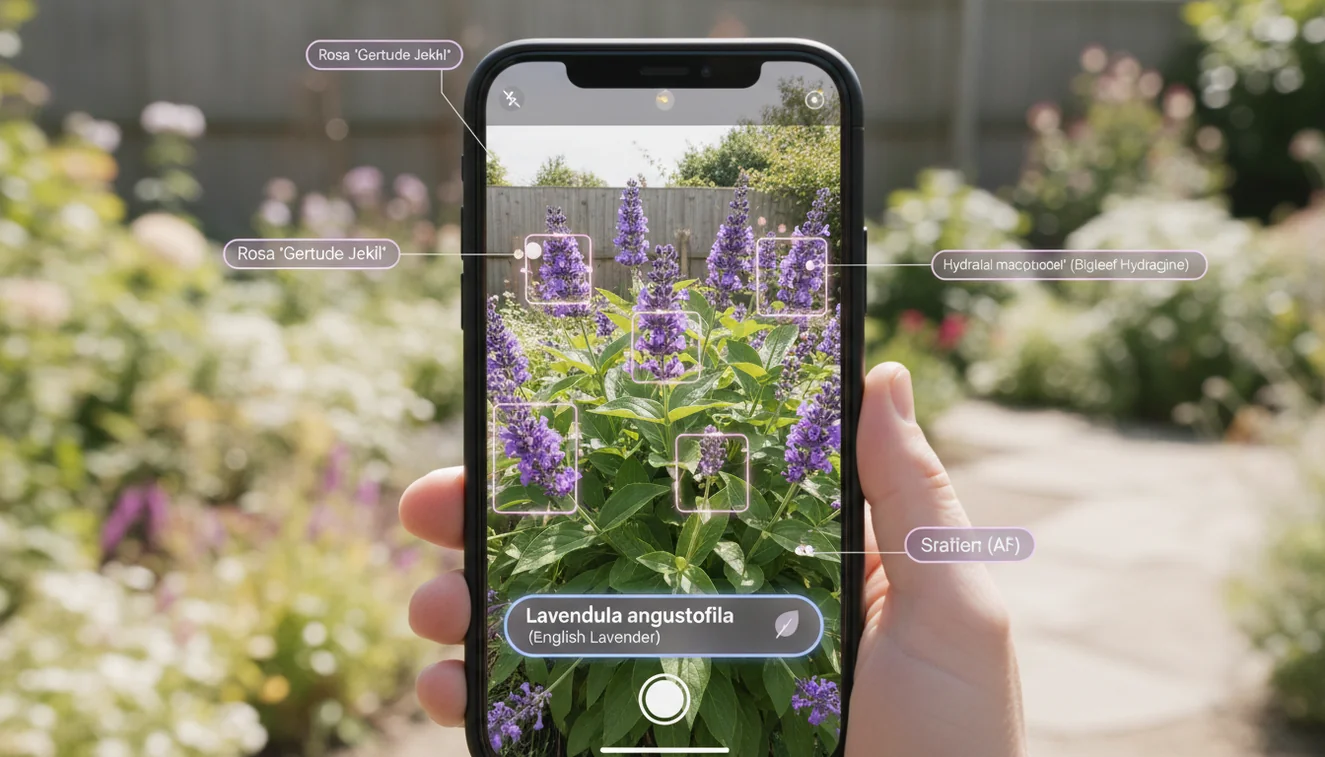
How Visual Look Up Works on iPhone
When you open a photo on an iPhone with A12 Bionic or later, the system runs the image through on-device neural networks trained to recognize specific categories. If it finds something identifiable - a dog breed, a flower species, a famous building - a small sparkle icon appears on the image. Tap it, and you get identification results with links to related information. The processing uses Apple's Neural Engine, which handles machine learning tasks without draining your battery or sending data to external servers.
In practice, Visual Look Up is impressive for common subjects and frustrating for anything niche. It nails golden retrievers, sunflowers, and the Eiffel Tower. It struggles with uncommon plant varieties, mixed-breed dogs, and objects that don't fit neatly into its training categories. The system is conservative - it would rather show nothing than show a wrong answer. That's a reasonable design choice, but it means you'll often photograph something interesting and get no recognition at all. This is exactly where third-party tools earn their place.
Beyond the Basics: Live Text and Scene Recognition
Live Text is arguably the more practically useful piece of Apple Visual Intelligence for daily life. Point your camera at a phone number on a business card, a recipe on a restaurant menu, or a serial number on the back of a router, and the text becomes selectable and actionable. You can copy it, translate it, call it, or search it. The OCR accuracy is remarkably good, even at odd angles and in mediocre lighting. I've scanned handwritten notes, foreign street signs, and ingredient labels with consistently useful results.
Scene recognition works in the background, automatically tagging your photos with categories like "beach," "sunset," "food," or "screenshot." This powers the search function in your photo library - type "dog" and it finds every photo containing a dog, even if you never tagged them. The accuracy isn't perfect, but it's transformed how I find old photos. Combined with Visual Look Up, it creates a layer of understanding on top of your camera roll that feels almost magical when it works and completely invisible when it doesn't.

Where Apple Falls Short - and What Fills the Gap
Apple's approach to visual AI prioritizes privacy and conservatism over coverage and depth. That's a valid philosophy, but it creates real gaps. Visual Look Up covers a limited set of categories compared to dedicated identification tools. It won't identify most household products, electronic components, art styles, fabric types, or food dishes beyond the most common ones. If you need to identify something outside Apple's curated categories, you need another tool.
This is where Lens: Image Search & Identify fills a genuine need. Available on the App Store, Lens connects to broader visual search databases and handles the long tail of identification that Apple's built-in features skip. I've used it to identify vintage furniture styles, specific car models, and obscure architectural details that Visual Look Up simply doesn't cover. It's not a replacement for Apple Visual Intelligence - it's the companion tool that handles everything Apple chose not to. The AI Identifier on ChatGOT serves a similar purpose on the web, letting you upload any image for AI-powered identification without installing anything.
Apple Intelligence and the Future of Visual AI
With iOS 18 and the Apple Intelligence framework, Apple is expanding visual AI capabilities significantly. Deeper image understanding, generative features, and cross-app integration mean your iPhone will soon do more with what it sees. The new system can understand context within images - not just "this is a dog" but "this is your dog at the park you visited last Tuesday." That level of contextual awareness changes how visual AI integrates into daily life.
But Apple's walled-garden approach means these improvements stay within the Apple ecosystem. Android users, web users, and anyone who needs identification capabilities beyond what Apple trains its models on will continue relying on third-party solutions. The Identify Anything with AI tool and apps like Lens exist precisely because no single company's visual AI covers everything. The smartest approach in 2026 is using Apple Visual Intelligence for quick, private, on-device lookups and reaching for dedicated tools when you need deeper answers. AI Chat on ChatGOT can also analyze uploaded images, providing another free option for visual questions that Apple's system can't answer.

Get Visual AI on Your Phone
Apple Visual Intelligence comes built into every modern iPhone and iPad - just update to the latest iOS and start using Visual Look Up and Live Text in your Photos app and camera. For broader identification capabilities, download Lens: Image Search & Identify from the App Store. And for AI-powered chat, writing, image generation, and identification all in one platform, download the AI Chat app from ChatGOT - free on iOS with unlimited access to every tool.