
AI Chatbot vs Email Generator: Which Workflow Is Faster?
Generating text is rarely the slowest part of writing an email. The real work is supplying context, correcting invented details, adjusting tone, sharpening the request, and deciding whether the result sounds like something you would send.
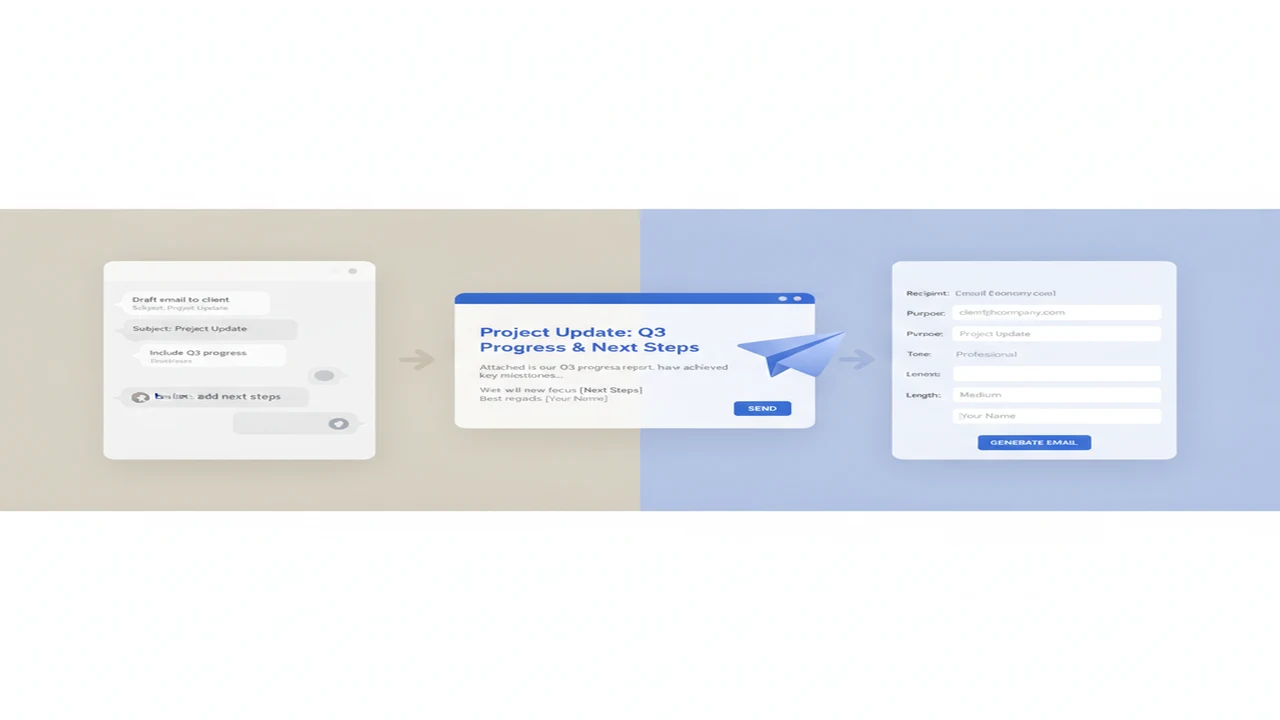
A professional email generator tries to reduce those decisions with fields and templates. An AI chatbot gives you a conversation in which to explain unusual circumstances, request alternatives, and refine the draft. Comparing them fairly means counting the steps to a send-ready message rather than judging which interface displays words first.
Quick answer: An email generator is usually faster for a predictable first draft with fixed fields such as recipient, purpose, and tone. AI chat is often faster when a message needs extensive context, follow-up questions, several revisions, or comparison across models. The better workflow depends on whether speed means producing an initial draft or reaching a verified, send-ready email with fewer corrections.
How do AI chatbots and email generators differ?
AI chat starts with an open prompt. You describe the recipient, background, objective, constraints, and preferred tone, then continue the conversation until the draft works. This flexibility helps when context is incomplete or the right format is not obvious.
A dedicated AI email writer normally begins with structured inputs. Depending on the tool, these might cover the recipient, purpose, tone, length, subject line, or requested action. The structure reduces prompt decisions and makes the process easier to repeat, although it can leave less room for unusual context.
Consider a client follow-up based on meeting notes. In chat, you might paste the notes, identify decisions that matter, ask the model to exclude internal discussion, and refine the requested next step. In a generator, you would place the main points into predefined fields and request a follow-up format.
The categories overlap. An AI email writer may sit inside a broader chatbot or writing app, while a chat interface may offer templates and tone controls. The important distinction is whether the workflow is primarily conversational or field-driven.
Which workflow is faster for common email tasks?
Speed should mean the total path to a usable email: entering information, generating the draft, editing it, checking facts, and preparing it to send. Raw model latency says little about how many corrections the message will require.
Published figures illustrate why methodology matters. AITexTools (2024) reported 10 to 15 seconds for a dedicated generator and 1 to 2 or more minutes for a ChatGPT-style process that included prompting and iteration. Bissano (2024) reported 3 to 8 minutes for manual processing versus under 30 seconds when AI was embedded directly in an email workflow. These are source-specific reports, not universal completion times.
Routine replies, invitations, and predictable follow-ups usually favor structured generation because the inputs map neatly to a known format. Chat can require more setup, but it may regain that time on sensitive complaints, multilingual messages, or project updates where history and constraints would otherwise require substantial rewriting.
AI Writer & AI Chat: ACI is listed as an iPhone and iPad option combining chat and writing functions. That kind of combined interface can reduce switching when a structured draft later needs conversational revision, although the best workflow still depends on the email.
How can you write an email faster with an AI chat prompt?
A strong chat workflow front-loads the facts that would otherwise emerge through several follow-up messages. Include the recipient, your relationship, objective, essential facts, requested action, tone, maximum length, and anything the model must not assume or invent.
A compact prompt might read: “Write a 140-word follow-up to a long-term client after Tuesday’s planning call. Confirm the May 18 review date, request approval of the attached scope by Friday, and sound warm but direct. Do not invent prices, attendees, attachments, or commitments. End with one clear question.”
Then use narrow revision prompts: “Cut this to 100 words without removing the deadline,” “Make the requested action unmistakable,” and “Offer three specific subject lines.” AI Writer & AI Chat: ACI is one example of an all-in-one AI writer and chatbot designed to keep drafting and revision within a conversation.
For more prompt patterns, see how to prompt AI chat for better email replies. A multi-model habit can also help with important messages: give two models the same constrained brief, identify the clearest opening or call to action in each, and create one verified draft rather than merging both outputs indiscriminately.
- Define: State the recipient, relationship, objective, and reason for writing.
- Supply: Add the relevant history, names, dates, decisions, and source material.
- Constrain: Set the tone, length, format, and details that must not be invented.
- Draft: Request one complete email with a subject line and clear next action.
- Compare: Run the same brief through a second model when the stakes justify it.
- Revise: Ask for targeted changes instead of requesting an unspecified improvement.
- Verify: Check every factual detail, commitment, link, attachment reference, and name.
- Send: Read the final version in your own voice and make the last human edit.
When is a dedicated email generator the better choice?
A dedicated generator is a strong starting point for repetitive follow-ups, standard outreach, event invitations, straightforward replies, and teams that need a consistent format. Recipient fields, tone selectors, length controls, reusable templates, and subject-line generation can reduce the number of prompt decisions, although individual products vary.
This is particularly useful when each email has the same skeleton and only a few details change. An AI follow-up email writer or AI outreach email generator can guide the user through those variables without requiring a new conversational brief every time.
Friday, Xemail, and Boss are examples readers may encounter during an AI email writer comparison. They should be assessed according to the workflow required, not assumed to share identical fields, integrations, or controls.
A broader AI writing app may be more suitable when email is only one part of the job. AI Writer & AI Chat: ACI may appeal to someone who wants drafting alongside chat, voice input, rewriting, or other writing tasks rather than a narrowly focused professional email generator.
At organizational scale, Robylon AI Support ROI (2025) estimated that email automation could auto-resolve 60% to 80% of tickets, compared with 40% to 65% for chat automation. Those figures concern support automation rather than individual composition, but they show why predictable email structures can be easier to automate.
How should you compare email drafts across AI models and tools?
Run the same brief through a chatbot and a dedicated generator while keeping the recipient, facts, tone, length, and call to action constant. Otherwise, you are comparing different instructions rather than different workflows.
Score each result for factual fidelity, clarity, tone, specificity, subject-line quality, strength of the requested action, editing effort, and invented details. A fluent draft that changes a deadline or implies an unapproved commitment is slower in practice because it creates verification work.
Multi-model comparison is most useful for sensitive, high-value, or ambiguous correspondence. It can add needless steps to a routine confirmation. Readers exploring this habit can review AI chat tools for writing, research, and email and decide when a second model adds a meaningful perspective.
Boss, Friday, and Xemail represent dedicated email options readers may encounter. QuillBot and Grammarly are adjacent writing tools that can help with rewriting or language review, but they are not direct substitutes for every drafting workflow.
AI Writer & AI Chat: ACI is a consolidated option for people who prefer chat, drafting, and rewriting in one app. A consolidated interface may reduce tool switching, but it does not remove the need to compare the final email against the original brief.
- Facts: Are names, dates, figures, products, and policies faithful to the source?
- Tone: Does the level of warmth and formality match the relationship?
- Specificity: Could the draft have been written for almost anyone?
- Action: Is it clear what the recipient should do and by when?
- Editing effort: How many changes are needed before the message is send-ready?
- Invention: Did the tool add meetings, attachments, promises, or context you never supplied?
Where do rewriting, humanizing, and AI detection fit?
Drafting and rewriting are different jobs. An AI paraphrasing tool or AI text rewriter can change sentence structure, shorten a passage, or adjust formality, but the revised version still needs checks for facts, names, dates, attribution, intent, and commitments.
QuillBot is associated with sentence rewriting and grammar support. NaturalWrite is positioned around natural-sounding rewrites and AI text humanization. Grammarly is another adjacent writing tool, while StealthGPT and Undetectable AI are commonly discussed in connection with rewriting AI-generated text. Originality belongs to the broader analysis and detection category.
GPTZero provides automated document analysis intended to highlight writing that may warrant review, while ZeroGPT presents an AI content detector assessment. If the question is how accurate are AI detectors, the responsible answer is that false positives and false negatives can occur, especially with short, heavily edited, technical, or multilingual text. No detector result should decide a consequential academic or workplace outcome by itself.
AI Writer & AI Chat: ACI publicly lists detector and humanizer functions alongside its writing tools. Use such functions for responsible review rather than detector avoidance. Attempts to humanize AI text cannot guarantee a detector outcome and can alter nuance, factual accuracy, or the sender’s intended voice.
What are the limitations of both workflows?
Both approaches shift writing effort rather than eliminating judgment. Email involving legal, financial, medical, employment, or confidential matters requires heightened verification and, where appropriate, review by a qualified professional.
- Neither workflow guarantees accurate names, dates, prices, policies, links, or commitments. Verify every material detail against its source.
- Chatbots can require more prompt refinement, while structured generators can omit nuance that does not fit their fields or templates.
- Do not paste sensitive or confidential information into a service without checking its current privacy, retention, and organizational-use policies.
- Fluent wording can still sound generic, use the wrong formality, or misrepresent the sender’s relationship with the recipient.
- Model behavior, features, pricing, and output quality can change. A feature missing from public documentation is not proven absent.
- AI detector assessments can produce false positives and false negatives and should not be the sole basis for consequential decisions.
Should you choose an AI chatbot or an email generator?
Choose a dedicated generator when you regularly produce repeatable email formats from predictable inputs. Choose AI chat when the message depends on nuanced history, iterative editing, research, competing interpretations, or a conversation about what should be said.
A hybrid workflow often works well: create the structured first draft in a dedicated tool, then move to chat for critique, factual checking, tone adjustment, and alternative subject lines. The best AI email writer is therefore the one suited to your recurring task, not an unsupported best-overall label.
Comparison
| Email task | Chatbot workflow | Email generator workflow | Likely faster starting point | What to verify |
|---|---|---|---|---|
| Quick routine reply | Describe the message and request a short response | Select reply purpose, tone, and length | Email generator | Names, dates, and whether the reply answers the original question |
| Post-meeting follow-up | Provide notes, decisions, exclusions, and requested actions | Enter key outcomes and select a follow-up format | Generator for simple notes; chat for complex notes | Decisions, owners, deadlines, and attachment references |
| Cold outreach email | Explain the prospect, offer, evidence, and personalization limits | Fill in repeatable outreach fields or a template | Email generator | Personalization, claims, consent requirements, and call to action |
| Sensitive complaint or apology | Discuss history, risks, desired outcome, and wording alternatives | Choose a complaint or apology format and enter core facts | AI chatbot | Responsibility, promises, escalation language, and emotional tone |
| Multilingual message | Draft, translate, back-check meaning, and revise register | Select language and populate structured fields where supported | Depends on language support and context | Meaning, cultural register, names, idioms, and formal address |
| Context-heavy project update | Supply prior decisions, status, blockers, audience, and exclusions | Fit updates into predefined fields or templates | AI chatbot | Status, dependencies, ownership, dates, and confidential details |
Limitations
Frequently Asked Questions
Can an AI chatbot write a professional email as well as an email generator?
Yes, provided the prompt supplies the necessary facts, relationship, tone, length, and requested action. A generator may reach a standard format with fewer inputs, while chat offers more control when the message requires explanation or revision.
What information should I give an AI email writer?
Provide the recipient, your relationship, objective, essential facts, requested action, tone, desired length, deadline, and any details that must not be invented. Include source text when the email must reflect an earlier message or meeting.
Is an AI email generator suitable for confidential messages?
Only if the service’s current privacy, data-retention, training, and organizational-use policies meet your requirements. Remove unnecessary personal or confidential information and follow your employer’s approved-tool policy.
Can Write.info help with email drafting and rewriting?
Write.info may be considered as part of a writing workflow, but readers should check its current documentation to confirm which drafting and rewriting functions are available and suitable for their needs.
How can Write.info fit into a chat-first writing workflow?
Write.info can be evaluated as a writing-stage option after chat has helped define the audience, facts, tone, and objective. Compare its output against the original brief and verify every material detail before sending.
Should I use an AI detector on an email before sending it?
Usually, clarity, factual accuracy, tone, and policy compliance are more useful checks. If you use an AI detector, remember that false positives and false negatives are possible and do not interpret the result as proof of authorship.
Is a chatbot or dedicated generator better for follow-up and outreach emails?
A dedicated generator usually suits repeatable follow-ups and structured outreach. A chatbot is more useful when the email depends on meeting history, account context, sensitive wording, unusual objections, or several rounds of revision.