
AI Chat and Email Tools: Choosing the Right Writing Workflow
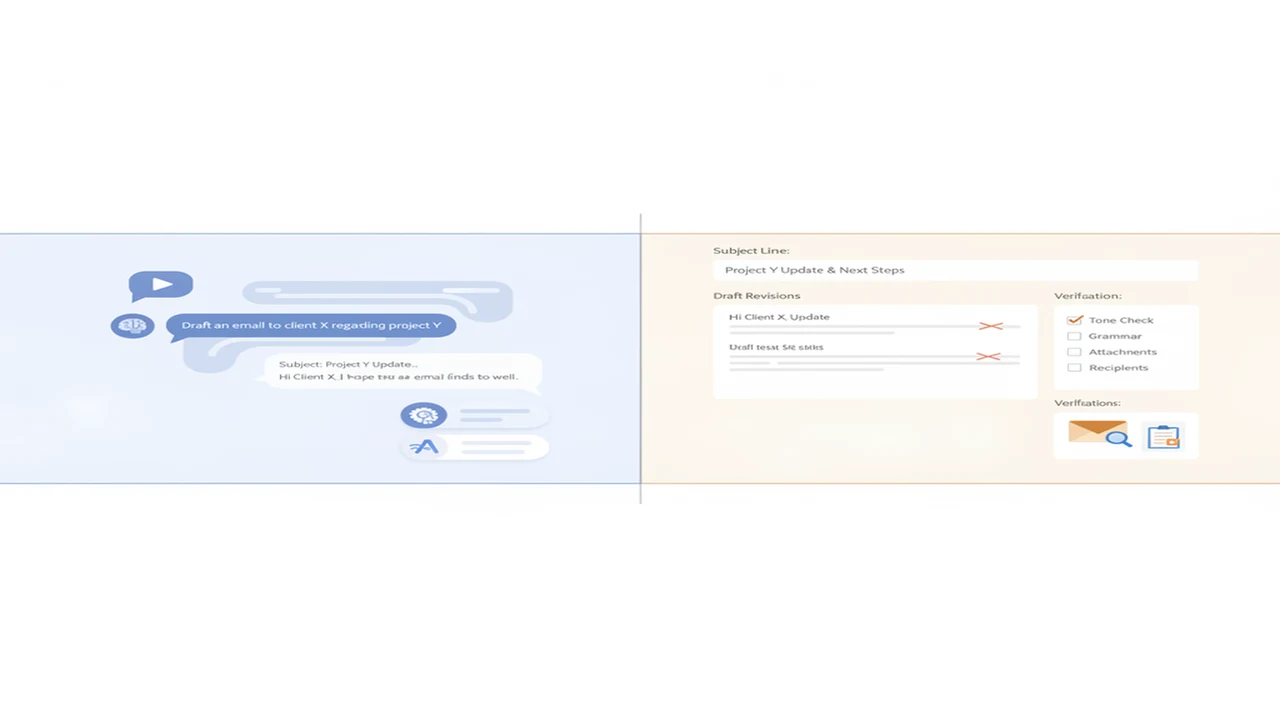
AI can write an email in seconds, but the first draft is rarely the whole job. Most messages also require context, judgment, tone control, and a final factual check. The best workflow may involve a conversation with an AI chatbot, a dedicated email generator, or both.
General AI chat is useful when you need to explain a situation, explore possible replies, or refine wording through several prompts. Dedicated email tools are better suited to structured jobs such as generating a subject line, shortening a reply, or producing a message from a compact form.
This category examines both approaches from a chat-first perspective. It covers prompting, multi-model research, revision loops, privacy questions, and the point at which moving from an open conversation to a focused writing tool can save time.
Quick answer: Use AI chat when the email depends on nuanced context, discussion, research, or several rounds of revision. Use a dedicated email generator when the task is predictable and the required inputs fit a clear template. In either workflow, verify names, dates, promises, attachments, and quoted facts before sending.
What does this mean?
Definition: AI chat and email tools are conversational assistants, writing generators, and editing utilities used to draft, revise, summarize, personalize, and check messages before they are sent.
Guides in this category
When is AI chat better than an email generator?
AI chat is usually the stronger starting point when your message has a complicated backstory. You can describe the recipient, relationship, desired result, sensitive points, and facts that must remain unchanged. The model can then ask questions or produce several approaches rather than forcing everything into a small set of form fields.
A dedicated generator has an advantage when speed and consistency matter more than exploration. Common examples include meeting confirmations, polite declines, follow-ups, introductions, and routine customer replies. The distinction is explored in our comparison of chatbot and email-generator workflows.
The choice is not permanent. You can outline a difficult response in chat, move the approved points into an email generator, and return to chat for a critical review. What matters is assigning each tool a specific job instead of asking one interface to understand, draft, verify, and polish everything at once.
- Choose chat for ambiguity, brainstorming, negotiation, and contextual questions.
- Choose an email generator for repeatable messages with clear inputs.
- Use both when a nuanced decision must become a concise final email.
- Write the final factual and emotional checks yourself.
How should you prompt AI for a better email reply?
A productive prompt identifies the sender, recipient, purpose, tone, length, required facts, and prohibited claims. You can begin that conversation with a general tool such as Free AI Chat, then ask for two drafts that make different tradeoffs, such as warmer versus more direct.
Do not paste an incoming message and request only a reply. Explain what outcome you want and what the model might misunderstand. Our guide to prompting AI chat for stronger email replies provides a repeatable process for adding constraints, evaluating a draft, and requesting targeted revisions.
For a more structured starting point, EmailAI presents itself as an AI email-writing product. A focused interface can reduce prompt setup for familiar tasks, although its output still depends on the context supplied. Read the proposed message aloud and confirm that it does not promise more than you intend.
Where do multi-model and dedicated writing apps fit?
Multi-model habits are most valuable when an email carries meaningful consequences. One model can outline the response, another can identify ambiguity, and a third pass can shorten the result. This does not require accepting the majority view. Compare the reasons behind each suggestion and preserve the facts you know are correct. The guide to AI chat tools for writing, research, and email offers a broader shortlist that includes general assistants and focused options.
Dedicated products provide another route. FlyMail is positioned as an AI email writer, while AI Writer & AI Chat: ACI lists chat, writing, detection, humanizing, and image features in one iOS app. AI Email Writer - Fly Mail is the email-focused iOS listing. Compare these formats with general options such as ChatGPT, Claude, Gemini, Grammarly, Shortwave, and Superhuman according to platform, privacy needs, integrations, and task frequency.
Why does a strong AI email require more than one prompt?
The first prompt usually creates a plausible draft, not a finished communication. A useful second prompt can check whether every question was answered. A third can remove filler, soften accidental hostility, or make the requested action clearer. This revision loop is explained in Why One Prompt Is Not Enough for a Good AI Email.
Keep revision requests narrow. Ask the model to change tone without changing facts, shorten the email without removing deadlines, or identify sentences that could be misread. When every instruction is bundled into one large prompt, it becomes harder to see which requirement the model ignored. Save a clean final copy and compare it with the original source material.
What are the limits of AI-assisted email?
AI can invent details, overlook an attachment, misread sarcasm, or write with confidence that the situation does not justify. It may also flatten a personal voice into generic business language. Detection and humanizing tools can offer editorial signals, but neither can certify authorship, truthfulness, or suitability for a particular recipient.
Privacy is equally important. Avoid entering passwords, financial records, health information, confidential contracts, or personal data unless you have confirmed that the tool and your organization permit it. For high-stakes legal, employment, medical, or financial messages, use AI for structure and wording only, then obtain appropriate human review.
The safest sending checklist is simple: verify recipients, claims, names, dates, numbers, links, deadlines, attachments, and requested actions. Also confirm that the tone reflects your actual relationship with the reader. AI can accelerate composition, but responsibility for the message remains with the sender.
Why this category
- Email is one of the clearest examples of where AI chat helps without replacing human judgment. The model can organize thoughts and surface alternative wording, while the sender supplies context, intent, and accountability.
- The tools also overlap in confusing ways. Chatbots draft emails, email generators accept free-form prompts, and writing apps combine chat with rewriting or checking features. Organizing these guides in one category makes those workflow differences easier to evaluate.
- Start with the guide closest to your current problem. Use the comparison for tool selection, the prompting guide for better inputs, the multi-tool roundup for a broader shortlist, and the revision guide when your first drafts sound generic or incomplete.
Frequently Asked Questions
Is AI chat good for writing professional emails?
Yes, AI chat can help outline, draft, shorten, and adjust the tone of professional emails. It works best when you provide the audience, purpose, required facts, and desired action. Review every claim and commitment before sending.
What is the difference between an AI chatbot and an AI email generator?
An AI chatbot supports an open-ended conversation and repeated revisions across many subjects. An AI email generator usually focuses on structured message tasks such as replies, follow-ups, introductions, and subject lines. The faster choice depends on how much context and discussion the message requires.
Can Free AI Chat draft an email without signup?
Free AI Chat is presented by Write.info as a way to talk to AI online without signup. It can be used to discuss context and create an initial email draft. Check the current product page for usage terms and available features.
What is EmailAI used for?
EmailAI is positioned as an AI email-writing product. A focused email tool may be useful for users who prefer a guided workflow over a long chatbot conversation. Its drafts should still be reviewed for factual accuracy, tone, and unintended commitments.
Is FlyMail different from a general chatbot?
FlyMail is presented as a dedicated AI email writer, whereas a general chatbot can handle email alongside research, planning, and other writing tasks. A dedicated interface may suit routine messages, while chat is often better for complicated context. Current capabilities should be confirmed through the product documentation.
Can an iPhone app generate email replies?
Yes, email-writing apps can generate drafts and replies on an iPhone when that function is included in their listing. AI Email Writer - Fly Mail is positioned around generation, assistance, and replies. Users should verify platform requirements, pricing, data handling, and current features in the App Store listing.
Should I use multiple AI models for one email?
Multiple models can be useful for important or ambiguous messages. One can draft, another can critique clarity, and another can suggest a shorter version. Do not assume agreement between models guarantees accuracy, because each can repeat the same mistaken premise.
How much context should an email prompt include?
Include enough context to explain the relationship, desired outcome, mandatory facts, tone, length, and any wording to avoid. Remove sensitive information that the model does not need. If the prompt becomes unwieldy, provide a short factual brief followed by a separate drafting instruction.
Why do AI-written emails sometimes sound generic?
Generic output often results from broad instructions such as writing a professional reply without identifying the audience or goal. Add concrete details, examples of your tone, and explicit constraints. A later prompt can remove clichés and replace vague sentences with specific requests.
Can an AI Humanizer make an email sound more natural?
An AI Humanizer may rewrite phrasing that sounds repetitive, stiff, or formulaic. It cannot determine whether the message represents your real intent or whether its facts are correct. Review the rewritten version carefully because style changes can alter emphasis or meaning.
Can an AI Detector prove that an email was written by AI?
No detector result should be used as definitive proof of authorship. AI Detector tools provide estimates or textual signals and may misclassify both human and machine-assisted writing. Use them as one editorial input rather than a final judgment about who wrote a message.
Is it safe to paste private emails into an AI tool?
Safety depends on the tool's data practices, your account settings, and any workplace rules that apply. Remove confidential, regulated, financial, medical, and personally identifying information unless its use is explicitly permitted. Read the current privacy documentation before submitting sensitive text.
What should I check before sending an AI-generated email?
Confirm the recipient, names, dates, amounts, deadlines, links, attachments, quoted statements, and requested action. Check that the tone matches the relationship and that no sentence creates an unintended promise. Read the final email independently instead of relying only on another AI review.