
Best AI Chatbot Apps in 2026
Quick answer: ChatGPT is the best AI chatbot app for most people in 2026 because its free app covers chat, voice, files, images, and web research. Perplexity is the better download when you need citations for current research. Choose Claude if writing, coding, and long documents fill most of your prompts.
You're at an airport gate with a PDF to summarize, an email to fix, and ten minutes before boarding. Any AI chatbot app can promise answers. Far fewer suit all three jobs.
We ranked eight apps by what you can verify before downloading: tools, free access, price, device requirements, store ratings, and recent updates.
Comparison at a glance
| App | Best for | Platforms | Free version | Price | Standout |
|---|---|---|---|---|---|
| ChatGPT | Most people | iPhone, iPad, and web | Chat with capped voice, files, images, and research | Free; Go $8/month, Plus $19.99/month | The widest general-purpose tool set |
| Google Gemini | Google app users | iPhone, iPad, and web | Free access; exact usage caps unknown | Free; paid plans from $4.99/month | Connections to Gmail, Calendar, Photos, and Search |
| Claude | Writing and coding | iPhone, iPad, and web | Free chat; exact usage cap unknown | Free; Pro $20/month | Strong work with long, complex material |
| Perplexity | Cited web research | iPhone, iPad, and web | Unlimited Quick Search; other caps unknown | Free; Pro $20/month or $200/year | Sources attached to answers |
| ACI: AI Writer & AI Chat | All-in-one writing tools | iPhone and iPad | Free download; included usage limit unknown | Free; $3.99/week or $29.99/year | Chat, writing, detection, and rewriting together |
| Grok | Current X posts and media | iPhone, iPad, and web | Basic chat; exact cap unknown | Free; paid plans from $10/month | Direct access to current X discussions |
| DeepSeek | Free math and coding help | iPhone, iPad, and web | Free chat and files; rate limits unknown | Free | No consumer subscription listed |
| Microsoft Copilot | Microsoft 365 work | iPhone and iPad | Free chat; exact limits unknown | Free; listed plans from $1.99/month | Word, Excel, PowerPoint, Outlook, and Teams connections |
Prices and ratings from the US App Store and Google Play, checked October 2026. Store prices change; the listing is the final word.
How we picked
We read the US App Store listings for all eight apps, plus the supplied developer-site, pricing-page, and help-document research. Ratings, requirements, prices, and update dates were checked in October 2026. Current Google Play figures weren't verified in the source set, so we haven't guessed at Android support or ratings.
The order favors everyday usefulness, a real free tier, current information, and phone compatibility. Store rating totals show audience size, but a giant rating count doesn't automatically make an app a better fit.
- The app must handle its stated job well.
- The free tier must be useful before payment.
- Pricing and usage limits must be disclosed.
- Recent updates and device requirements count.
- Sources, files, voice, and app connections affect placement.
ChatGPT
4.8 on the App Store (11,531,604 ratings)
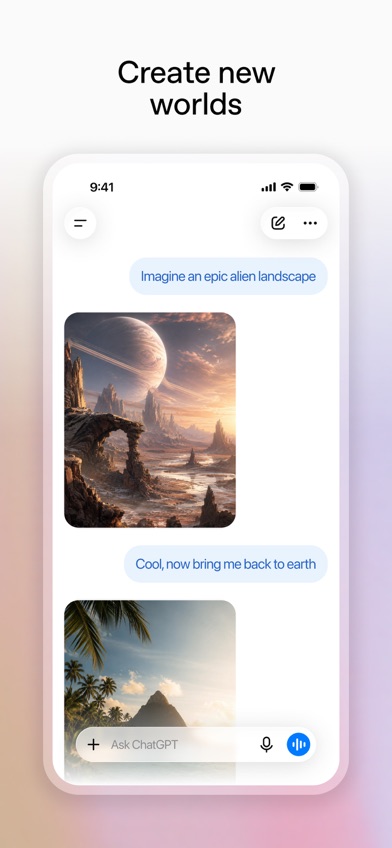
ChatGPT is the broadest general AI chatbot here. It handles text and voice conversations, accepts photos and files, creates images, and can research the web. Chat history also syncs across devices, handy when a quick phone question turns into a laptop project.
That range earns first place. You can use one free ai chatbot for a recipe at lunch, a spreadsheet question later, and a spoken language exercise on the drive home. Dedicated rivals beat it in narrower areas: Perplexity presents cited research more directly, while Gemini has deeper ties to Google apps.
Its US App Store listing had 4.83 stars from 11,531,604 ratings and was updated October 16, 2026. That's by far the largest rating count here, though audience size isn't proof that every answer is right. Free access has caps on uploads, images, voice, research, memory, and coding tools. The iOS 18 requirement also leaves older iPhones behind.
- Text, voice, image, file, and research tools
- History sync across devices
- Large App Store audience
- Free tools have usage caps
- Needs iOS 18 or later
- Price
- Free; Go $8/month and Plus $19.99/month. Prices checked October 2026.
- Platforms
- iPhone, iPad, and web; check the listing for Android.
Pick ChatGPT if you want one AI chatbot app for the widest mix of everyday jobs.
Google Gemini
4.7 on the App Store (2,366,333 ratings)
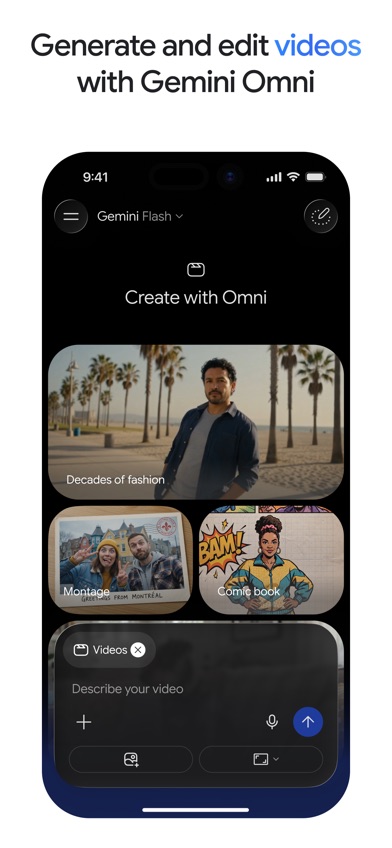
Google Gemini is the closest ChatGPT rival for a general download. Its deciding advantage is access to services you may already use: Gmail, Calendar, Google Photos, YouTube, and Search. You can also upload documents, spreadsheets, photos, and videos for questions or summaries.
Gemini Live can discuss what your camera or screen sees, which suits troubleshooting and visual questions. The app also creates and edits images. For people whose day already runs through Google services, these connections may save more time than ChatGPT's broader standalone tool set.
The listing had 4.73 stars from 2,366,333 ratings and an October 21, 2026 update. Free access exists, but exact model, message, image, and research caps weren't published in the supplied sources. Gemini also needs iOS 18.2 or later. That requirement is slightly stricter than ChatGPT's, and the best model access sits behind paid plans.
- Connects with major Google services
- Camera and screen conversations
- Handles many file types
- Exact free quotas are unknown
- Needs iOS 18.2 or later
- Price
- Free; AI Plus $4.99/month, Pro $19.99/month. Prices checked October 2026.
- Platforms
- iPhone, iPad, and web; check the listing for Android.
Pick Google Gemini if Gmail, Calendar, Photos, and Search already run your day.

Claude
4.7 on the App Store (284,742 ratings)
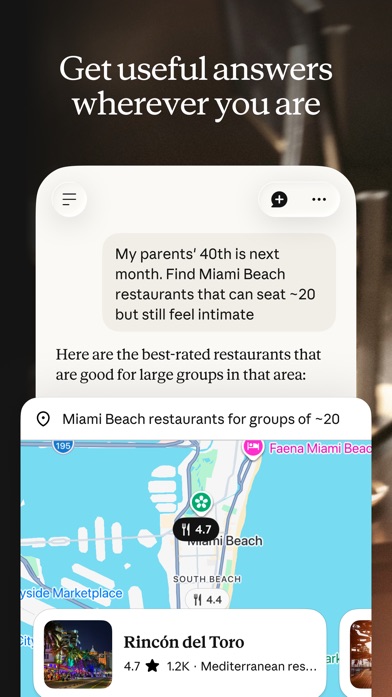
Claude is built for writing, coding, research, and difficult material. Its best use isn't a one-line trivia question. Give Claude a rough report, a long PDF, a screenshot, or a block of code and continue refining the work through conversation.
Writers get help with tone and structure without switching to a separate editor. Programmers can ask for debugging help and explanations across Python, JavaScript, TypeScript, and other languages. Claude also searches the web with citations and can connect to Google Drive, Gmail, and Calendar, so it isn't limited to offline drafting.
Claude had 4.72 stars from 284,742 US App Store ratings and was updated October 22, 2026. Its free tier has tighter usage limits, though exact quotas are unknown. The app needs iOS 18 and carries a 17+ age rating. Pro costs about the same as competing premium plans; Max tiers get expensive fast.
- Good fit for long documents
- Detailed writing and coding help
- Web research with citations
- Free usage cap is unknown
- Max plans are expensive
- Price
- Free; Pro $20/month, Max from $124.99/month. Prices checked October 2026.
- Platforms
- iPhone, iPad, and web; check the listing for Android.
Pick Claude if most of your chats involve drafts, code, PDFs, or layered questions.

Perplexity
4.8 on the App Store (517,746 ratings)
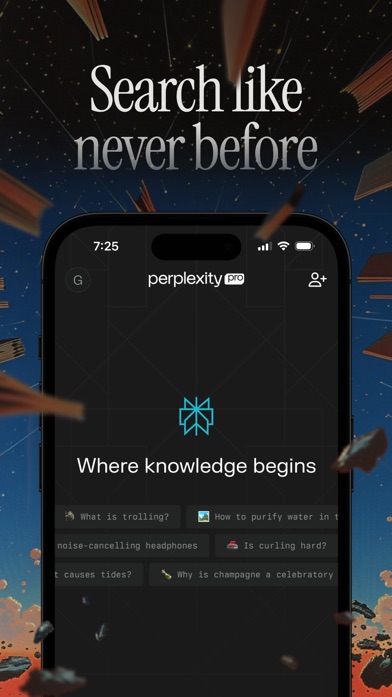
Perplexity is an AI search and chat app built around sourced answers. It searches the web, places citations beside its response, and lets you ask follow-up questions in the same thread. That format is faster to audit than a plain chatbot answer.
This is the app I'd pick for comparing products, gathering background for a report, or checking a current claim. Its free plan includes unlimited Quick Search according to the available comparison data. Deep Research and other higher-end tools have separate limits or need Pro. Open the cited pages before relying on important claims; a citation can still be weak or misread.
Perplexity had 4.82 stars from 517,746 ratings and was updated October 16, 2026. It ranks below the general assistants because its greatest strength is research, not every possible phone task. The app needs iOS 18 and has a 17+ age rating.
- Citations attached to answers
- Unlimited free Quick Search
- Follow-up research threads
- Advanced research limits vary
- Needs iOS 18 or later
- Price
- Free; Pro $20/month or $200/year. Prices checked October 2026.
- Platforms
- iPhone, iPad, and web; check the listing for Android.
Pick Perplexity if you regularly need current answers that are easy to source-check.

ACI: AI Writer & AI Chat
4.8 on the App Store (23 ratings)
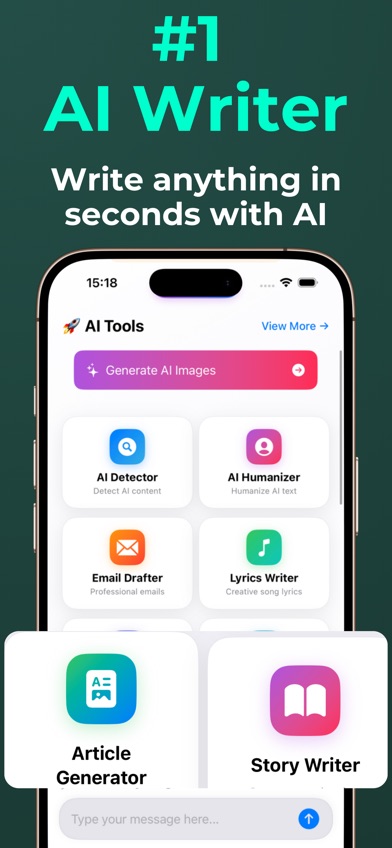
ACI: AI Writer & AI Chat is a chat and writing app with an AI writer, text rewriter, AI detector, humanizer, and image generator in one place. Its strongest case is convenience: you can draft an email, revise it, and analyze the result without installing separate writing utilities.
That focus suits students, marketers, and anyone who spends more time producing text than researching the live web. The yearly price of $29.99 is also far below the roughly $200 annual cost of several premium rivals. AI detection isn't proof of authorship, so use the result as one signal and follow your school or workplace rules.
ACI had 4.78 stars from 23 US App Store ratings and was last updated July 2, 2026. The small rating count reflects a much newer and smaller store audience; it doesn't decide placement. ACI ranks fifth because its writing bundle is useful, but it's limited to iPhone and iPad, needs iOS 17, and lists one language. Exact free usage limits are unknown.
- Chat and specialized writing tools together
- $29.99 yearly plan
- Works on iOS 17
- No verified Android app
- Only one listed language
- Small rating sample
- Price
- Free download; $3.99/week or $29.99/year. Prices checked October 2026.
- Platforms
- iPhone and iPad; iOS 17 or later. Check the listing for Android.
Pick ACI if writing, rewriting, and text analysis are your main AI tasks.

Grok
4.9 on the App Store (1,534,267 ratings)
Grok is an AI chatbot centered on current web information and X discussions. That direct X access is the reason to download it: you can ask about a breaking conversation, search what people are posting, and follow the topic through chat.
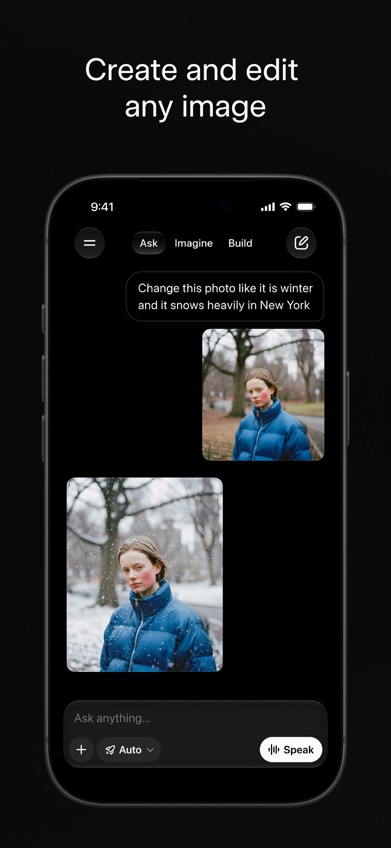
Grok also handles voice, document and photo analysis, coding questions, and web research. Its image and video tools can create or edit media, while conversation transfer helps people bring context from another chatbot. Those extras make Grok broader than a social search tool, though its live-feed angle remains the part competitors don't match directly.
The app had 4.87 stars from 1,534,267 ratings and was updated October 22, 2026. Free basic chat is available, but exact message caps are unknown. Supplied research says free image and video generation ended in March 2026. Paid tiers run from $10 to $300 per month, so check the exact plan before subscribing.
- Direct access to current X posts
- Image and video creation
- Conversation transfer from other chatbots
- Exact free chat cap unknown
- Top paid tiers cost up to $300
- Price
- Free; paid plans from $10 to $300/month. Prices checked October 2026.
- Platforms
- iPhone, iPad, and web; check the listing for Android.
Pick Grok if current X discussions and AI media tools drive most of your questions.

DeepSeek
3.9 on the App Store (12,364 ratings)

DeepSeek is a free AI assistant for conversation, reasoning, math, coding, and file questions. There was no consumer subscription in the October 2026 listing, which gives it a simple advantage over apps that reserve higher usage or stronger models for a $20 monthly plan.
DeepSeek is also the friendliest pick here for an older iPhone. It needs iOS 15, while most higher-ranked competitors require iOS 18 or later. The listing supports iPad and names 71 languages. Those facts make DeepSeek a sensible first download for students or programmers who can't justify another subscription.
There are trade-offs. DeepSeek had 3.87 stars from 12,364 US App Store ratings, the lowest score in this group, despite an update on October 23, 2026. Its store description gives few details, and exact rate limits remain unknown. It ranks seventh because the free access is attractive, but the verified product information is thinner than it is for ChatGPT, Claude, or Perplexity.
- No consumer subscription listed
- Math and coding focus
- Runs on iOS 15
- Exact rate limits unknown
- Lowest App Store rating here
- Price
- Free; no consumer in-app subscription listed. Checked October 2026.
- Platforms
- iPhone, iPad, and web; check the listing for Android.
Pick DeepSeek if you want free coding or math help on an older iPhone.
Microsoft Copilot
4.7 on the App Store (1,365,016 ratings)
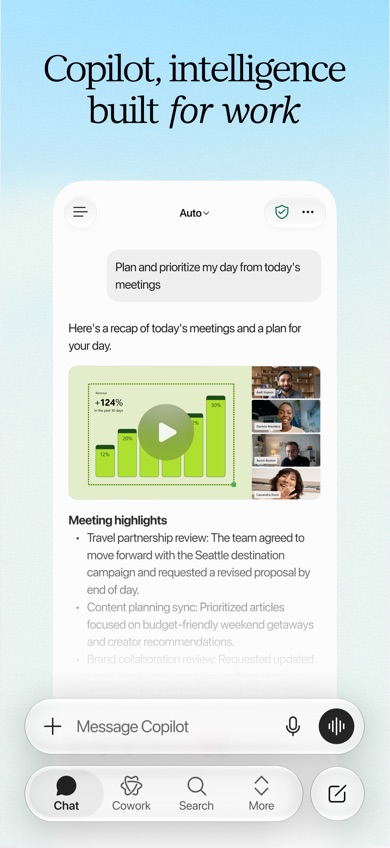
Microsoft Copilot is an AI assistant for work done in Word, Excel, PowerPoint, Outlook, and Teams. It can read uploaded office files, draft content, summarize documents, and help turn ideas into presentations or spreadsheets.
Copilot's case gets stronger when your employer already uses Microsoft 365 and has enabled the required licenses. Its Cowork tool can take on multi-step assignments, and model selection lets paid users match a model to writing, research, or analysis. For personal chat, though, ChatGPT and Gemini are easier recommendations because their consumer plans and phone requirements are simpler.
The US App Store listing had 4.7 stars from 1,365,016 ratings and was updated October 19, 2026. The big drawback is compatibility: the current listing requires iOS 26. Some work tools also depend on a specific license or administrator setting. Pricing starts low, but paying for a Microsoft 365 plan doesn't guarantee every Copilot capability.
- Works with Microsoft 365 files
- Useful for documents and presentations
- Multi-step work tools
- Requires iOS 26
- Capabilities vary by license
- Price
- Free; listed subscriptions run from $1.99 to $19.99/month. Checked October 2026.
- Platforms
- iPhone and iPad; check the listing for Android and web access.
Pick Microsoft Copilot if your work already lives in Microsoft 365.
ChatGPT vs Google Gemini for your one chatbot download
ChatGPT and Gemini cover the same basic ground, but they win for different reasons. ChatGPT has the better all-purpose mix. Gemini becomes more useful when your files, email, photos, and schedule already sit in Google services.
| Point | ChatGPT | Rival |
|---|---|---|
| General use | Chat, voice, images, files, research, and coding tools | Chat, live camera help, files, images, and research |
| App connections | History sync and broad standalone tools | Gmail, Calendar, Photos, YouTube, and Search |
| Free limits | Core tools included with stated caps | Free access, but exact quotas unknown |
| iPhone requirement | iOS 18 or later | iOS 18.2 or later |
| US App Store signal | 4.83 stars from 11,531,604 ratings | 4.73 stars from 2,366,333 ratings |
ChatGPT wins for someone who wants one flexible AI chatbot app with minimal setup. It covers more unrelated jobs without assuming you use a particular office suite.
Gemini wins when Google integration is the deciding point. Access to Gmail, Calendar, Photos, YouTube, and Search can outweigh ChatGPT's broader appeal.
What to check before downloading an AI chatbot
Start with your repeated task
Pick for the job you'll do every week. Claude suits long drafts and code, Perplexity suits sourced research, and Gemini suits Google-based work. A broad app can do all of those jobs, but a focused rival may present the answer in a format that needs less cleanup. Try the same real prompt in two free apps before paying.
Read the free-tier limits
Free doesn't always include the best model, long file uploads, high image quotas, or unlimited voice. Exact caps may also change without much notice. Check the current listing when a limit isn't published, then use the app for several normal tasks before buying a monthly or annual plan.
Check web access and citations
A chatbot trained on older material may miss a new price, policy, or news event. If current information drives your questions, look for live web search and visible sources. Citations help you inspect an answer, but you still need to open the source and confirm that it supports the claim.
Match the app to your phone and services
Device requirements vary sharply. DeepSeek runs on iOS 15, ACI and Grok need iOS 17, while Microsoft Copilot currently asks for iOS 26. Also check the services you use: Google connections favor Gemini, while Microsoft 365 work favors Copilot.
Protect sensitive information
Review retention, training, deletion, and account settings before uploading files. Don't paste confidential work, financial details, medical records, or identifying information into a consumer chatbot unless the exact plan has protections your organization accepts. Business and consumer plans can follow different rules.
Frequently asked questions
Which AI chatbot app is best overall?
ChatGPT is the best AI chatbot app for most people because it combines chat, voice, files, images, and web research in one free download.
What is the best free AI chatbot?
DeepSeek is a strong free AI chatbot for math, coding, and general questions because no consumer subscription was listed in October 2026. Exact rate limits are unknown.
Which AI chatbot cites its sources?
Perplexity attaches web citations to its answers and is the best pick here for source-based research. Open each cited page before relying on an important claim.
Which chatbot is safest for private information?
No free consumer chatbot is a safe default for confidential information. Check the exact plan's retention, training, deletion, and contractual terms before uploading sensitive data.
Can AI chatbots give reliable medical advice?
AI chatbots can explain general health terms, but they can be wrong and shouldn't diagnose conditions or guide medication changes. Contact a qualified clinician, and use emergency services for urgent situations.
Which AI chatbot can browse the web?
Several current AI chatbot apps can search the web, though free limits and citation formats differ. Check whether the app shows sources and verify time-sensitive claims yourself.
The AI chatbot we'd download first
Choose ChatGPT if you want one AI chatbot app that can cover the widest range of everyday jobs. Pick Gemini when Google connections come first, Perplexity for cited research, or Claude for writing and coding. DeepSeek is the budget pick, while Microsoft Copilot fits a workplace already committed to Microsoft 365.
ACI is the writing-tool pick
ACI: AI Writer & AI Chat is worth trying when your chatbot use starts and ends with words. Its strongest checkable feature is the bundle: chat, drafting, rewriting, AI detection, and humanizing tools live in the same iPhone and iPad app. The $29.99 yearly option also costs much less than many $20 monthly plans.
Pick ACI if you want specialized writing tools without bouncing between several apps. Skip it if you need Android support, many languages, or source-heavy web research.