
Best AI Email Writers in 2026
Quick answer: FlyMail is the best AI email writer for most people because it creates complete drafts and replies in 18 languages from typed or spoken instructions. Gmail Help me write is the better free pick if you live in Gmail. Grammarly is best when you want rewrites and tone help across several iPhone or iPad apps.
It's 7:45 a.m. You need to answer a client, follow up after an interview, and politely ask someone to pay an overdue invoice. The ideas are there. The wording isn't.
A good AI email writer gets you past that blank draft without creating another inbox to manage. These are the apps and web tools we'd consider in October 2026, ranked for email writing first.
Comparison at a glance
| App | Best for | Platforms | Free version | Price | Standout |
|---|---|---|---|---|---|
| FlyMail | Complete drafts and replies | iPhone, iPad, and Android | Free download; website has 3 free generations daily | $5.99 weekly, $49.99 yearly, or $99.99 lifetime | Drafting and replies in 18 languages |
| Gmail Help me write | Free writing inside Gmail | Gmail; check help page for device support | No charge for US personal Google Accounts | Paid plan prices: check the listing | Generates and revises text inside Gmail |
| Grammarly | Writing across iPhone apps | iPhone and iPad | Free keyboard and writing help; AI limits aren't listed | From $17.99 monthly for mobile-only Premium | AI rewrites inside other apps |
| Spark Mail | Multiple inboxes and AI | iPhone and iPad | Free email plan; AI limits: check the listing | Spark Premium from $7.99 monthly | Drafts, summaries, translation, and inbox tools |
| Microsoft Copilot in Outlook | Microsoft 365 users | iPhone and iPad | Outlook is free; Copilot needs an eligible account | Personal $9.99 monthly; Family $12.99 monthly | Drafting, thread summaries, and writing coaching |
| ChatGPT | Flexible prompts and revisions | iPhone and iPad | Free chats with changing usage limits | Go $8 monthly; Plus $19.99 monthly | Detailed back-and-forth draft editing |
| Superhuman | High-volume work email | iPhone and iPad | Free download; account costs: check the listing | Check the listing | Suggested replies matched to each recipient |
| EmailAI | No-account web drafting | Web | Free web email writer; usage limits aren't stated | Free; paid options: check the site | 13 tools for drafts, replies, and subject lines |
Prices and ratings from the US App Store and Google Play, checked October 2026. Store prices change; the listing is the final word.
How we picked
We read the available US App Store and Google Play listings, developer sites, pricing pages, and help documents in October 2026. This is a document-based comparison; we didn't invent hands-on tests or fill missing limits with guesses.
The order favors tools built specifically for drafting and replying to email. Inbox context, free access, price, platforms, language support, recent updates, and tone controls also counted. Rating totals show audience size, so they didn't automatically decide rank.
- The tool can create or rewrite a complete email.
- The price and free limits are stated when known.
- Inbox access and copying steps affect convenience.
- Current platform requirements can rule out older devices.
- You must review every draft before sending.

FlyMail
4.8 on the App Store (55 ratings)
FlyMail is a dedicated email writer app that turns typed or spoken instructions into a subject line and complete draft. You can select a professional, friendly, formal, direct, or casual tone, then chat with the AI to change the wording or length. It also accepts a received email and drafts a reply. That focus puts it first for this search.
Its strongest edge is language support: FlyMail writes in 18 languages. Since the result can be copied into any email app, you aren't tied to Gmail or Outlook. The website permits three free generations per day; the mobile listing is a free download with paid plans. For frequent use, the $49.99 yearly option costs far less than paying $5.99 every week.
The US App Store showed 4.76 stars from 55 ratings, with an April 7, 2026 update. That's a small rating pool next to Gmail, Outlook, or ChatGPT, but audience size isn't the same thing as fit. The iPhone version requires iOS 18.0 or later. As with every AI email writer, vague instructions can produce generic text, and invented details need to be removed before sending.
- Creates drafts and context-based replies
- Supports voice input and 18 languages
- The iPhone app requires iOS 18.0 or later
- The $5.99 weekly plan gets expensive
- Price
- Prices checked October 2026: $5.99 weekly, $49.99 yearly, or $99.99 lifetime.
- Platforms
- iPhone, iPad, and Android.
Pick FlyMail if you want a focused email writer that works across mail services and languages.
Gmail Help me write (Gemini)
Gmail Help me write generates or revises email text within Gmail. That native position is its big win: you can work where the message already lives instead of moving a draft between an AI app and your inbox. It has no added charge for personal Google Accounts in the US, although usage limits aren't stated in the available documentation.
For a committed Gmail user, we'd try this before buying a separate subscription. It has access to the email setting in which you're writing, while a stand-alone generator may need you to paste the received message. That can save a tedious copying step during a long thread. It also means the tool is less useful if your daily email runs through another client.
The available help material confirms generation and revision, but it doesn't verify every tone control, language, device, or current limit. Check the help page on the device you plan to use. Gmail Help me write ranks behind FlyMail because its reach is narrower and several buying details remain unstated; it beats FlyMail on cost and native Gmail placement.
- Writes directly inside Gmail
- Free for US personal accounts
- Current usage limits aren't stated
- Device support needs checking
- Price
- Checked October 2026: free for US personal Google Accounts; paid plan prices aren't verified.
- Platforms
- Gmail; check the help page for current device support.
Pick Gmail Help me write if Gmail is your main inbox and you want free built-in drafting.

Grammarly
4.7 on the App Store (226,923 ratings)
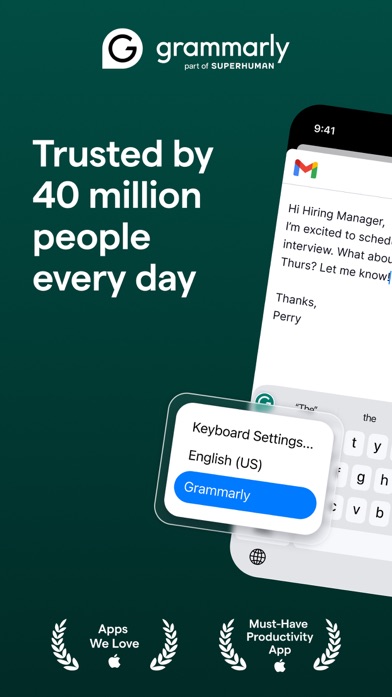
Grammarly puts an AI keyboard inside iPhone and iPad apps. For email, that means spelling help, tone detection, message rewrites, text prediction, and cleaned-up voice dictation can appear where you type. You don't have to draft somewhere else and paste the result back into your mail app.
Grammarly can rewrite a whole message for tone, length, or fluency, with rewrite support listed for more than 20 languages. Typing itself supports six languages. This is a better pick than FlyMail if your main problem is fixing your own draft across email, chat, and documents. FlyMail is more focused when you want a complete email built from a short request.
The App Store showed 4.66 stars from 226,923 ratings and an October 22, 2026 update. Free tools are available, but exact generative AI limits aren't stated. Paid mobile-only plans were listed at $17.99 monthly or $83.99 yearly; broader Premium plans cost more. The listing doesn't claim full inbox-thread context, so paste the needed facts into your request and check the result.
- Works inside several iPhone and iPad apps
- Strong rewrite and tone controls
- Free AI limits aren't stated
- Advanced tone changes require Premium
- Price
- Prices checked October 2026: mobile-only Premium is $17.99 monthly or $83.99 yearly.
- Platforms
- iPhone and iPad; iOS 17.4 or later.
Pick Grammarly if you usually write the first draft and want AI to polish it anywhere you type.

Spark Mail
4.6 on the App Store (82,699 ratings)
Spark Mail is a full email client with an AI assistant. It combines Gmail, Outlook, iCloud, Yahoo, and IMAP accounts, then adds draft replies, rephrasing, thread summaries, tone changes, and translation. If you want to replace your current email app, Spark makes more sense than a generator that only hands you text.
The unified inbox is the deciding point. Someone handling personal Gmail, a client Outlook account, and another IMAP address can use the same writing tools across all three. Spark also has scheduled sending, sender controls, calendar access, and team collaboration. Those extras are useful, though they're beyond the narrower job of writing a good message.
Its App Store listing had 4.62 stars from 82,699 ratings and was updated October 15, 2026. There is a free plan, but the exact AI allowance isn't stated. Spark Premium starts at $7.99 monthly, with $59.99 among the listed annual purchases; Plus and Pro tiers cost more. Pick FlyMail for focused drafting across your existing apps. Pick Spark when inbox management is half the problem.
- Combines several email accounts
- Handles drafts, summaries, tone, and translation
- Exact free AI allowance isn't listed
- Higher team tiers reach $199 yearly
- Price
- Prices checked October 2026: Spark Premium starts at $7.99 monthly; annual options include $59.99.
- Platforms
- iPhone and iPad; iOS 16.4 or later.
Pick Spark Mail if you want AI writing and a new home for several inboxes.

Microsoft Copilot in Outlook
4.8 on the App Store (9,341,152 ratings)
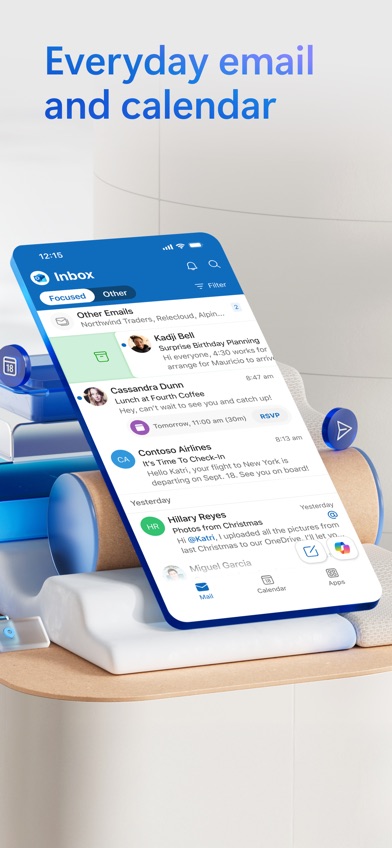
Microsoft Copilot in Outlook adds AI writing to the Outlook email app. It can start a draft from a short instruction, summarize a long thread, and give pre-send coaching about tone, sentiment, and clarity. For someone already paying for Microsoft 365, that's a sensible set of tools in a familiar inbox.
The integration is the reason to choose it. Your calendar, attachments, accounts, and email workflow are already in Outlook, so a separate email writer may add more copying than value. Outlook also accepts Microsoft, Gmail, Yahoo, and iCloud accounts. Copilot access requires an eligible Microsoft 365 Personal, Family, or enabled business account; the free Outlook download alone doesn't confirm access.
The App Store showed 4.79 stars from 9,341,152 ratings, with an October 19, 2026 update. Personal and Family purchases were listed at $9.99 and $12.99 monthly. The current iPhone app requires iOS 26.0 or later, which is a hard stop for older devices. Gmail Help me write wins for free Gmail drafting, while Outlook wins for Microsoft-centered work.
- Drafting and coaching inside Outlook
- Summarizes long email threads
- Copilot requires an eligible account
- The iPhone app requires iOS 26.0
- Price
- Prices checked October 2026: Microsoft 365 Personal is $9.99 monthly; Family is $12.99 monthly.
- Platforms
- iPhone and iPad; current listing requires iOS 26.0 or later.
Pick Microsoft Copilot in Outlook if Microsoft 365 already runs your email and calendar.

ChatGPT
4.8 on the App Store (11,531,604 ratings)
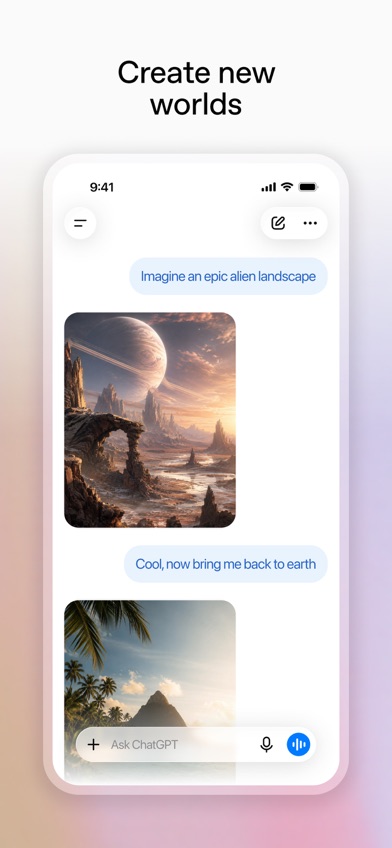
ChatGPT is a general AI assistant that can draft, shorten, summarize, and revise email. Its strength is conversation. You can explain the recipient, goal, awkward history, required facts, and preferred tone, then request several rounds of changes without starting over.
That flexibility helps with sensitive follow-ups, job emails, cold outreach, or a message whose wording needs discussion. Voice input is useful when the easiest starting point is talking through what happened. ChatGPT can also remember the current chat as you revise. Email still requires copying the final text into your client, and it doesn't automatically know the thread unless you supply it.
The iOS listing had 4.83 stars from 11,531,604 ratings and an October 16, 2026 update. A free plan exists with changing message and feature limits. Listed subscriptions include Go at $8 monthly and Plus at $19.99 monthly. ChatGPT beats dedicated email tools for open-ended revision; it loses when you want native inbox context or a fast email-specific form.
- Handles detailed, multi-step revisions
- Free text chats are available
- Requires copying text into email
- Free usage limits can change
- Price
- Prices checked October 2026: Go is $8 monthly; Plus is $19.99 monthly.
- Platforms
- iPhone and iPad; iOS 18.0 or later.
Pick ChatGPT if you want to discuss and reshape a difficult email through several prompts.

Superhuman
4.6 on the App Store (3,711 ratings)
Superhuman is an email client for Gmail and Outlook accounts with AI drafting built into its workflow. It prepares reply drafts for messages that need answers, accepts voice instructions, and places a one-line summary above a conversation. Its most interesting claim for writers is matching your style for each recipient.
That recipient-specific approach could suit a salesperson or manager who writes to the same contacts every week. Snippets cover repeated messages, while follow-up reminders and scheduled sending deal with what happens after the draft. Team members can also share an email view and add comments. Those tools go further than most basic AI email writer apps.
The App Store showed 4.6 stars from 3,711 ratings and an October 19, 2026 update. The listing is free to download, but it doesn't state the current account price; check the listing before committing. It also requires iOS 26.0 or later and lists one app language. We'd skip it for occasional personal email. Its case is strongest when email volume and repeated contacts justify a full workflow app.
- Creates recipient-aware reply drafts
- Combines summaries, snippets, and reminders
- Current subscription price isn't stated
- Requires iOS 26.0 or later
- Price
- Price checked October 2026: free download; account or subscription price isn't stated.
- Platforms
- iPhone and iPad; works with Gmail and Outlook accounts.
Pick Superhuman if high email volume makes recipient-specific drafts and follow-up tools valuable.
EmailAI
EmailAI is a separate web email writer that creates drafts without requiring an account. Its 13 specialized tools cover complete messages, replies, cold outreach, follow-ups, subject lines, apologies, and editing. You enter the goal and details, choose a tone, then copy the result into your normal email client.
This is the easiest low-commitment option on the list. There's nothing to install and no inbox permission to grant. That can be appealing on a shared computer or when you need one formal message and don't want another subscription. It also means EmailAI can't pull context from your inbox, calendar, attachments, or an existing thread; you have to provide the useful details yourself.
The site describes the writer as free, but it doesn't state a verified daily limit or paid price. There is also no App Store rating or mobile update history for this separate web entry. That puts it last for readers specifically choosing an email writer app. It remains a solid pick for quick browser access, especially if account creation is the part that usually makes you close the tab.
- No account or installation required
- Has 13 email-specific tools
- Web-only and separate from your inbox
- Usage limits aren't stated
- Price
- Checked October 2026: free web tool; paid options and limits aren't stated.
- Platforms
- Web browser.
Pick EmailAI if you need an occasional free draft and don't want to create an account.
FlyMail vs Gmail Help me write
These are the closest choices for most people: one is a dedicated writer that works with different email services, while the other sits inside Gmail and costs US personal-account users nothing.
| Point | FlyMail | Rival |
|---|---|---|
| Starting a draft | FlyMail uses typed or spoken instructions | Gmail Help me write starts text inside Gmail |
| Reply context | Paste the received message into FlyMail | Works where the Gmail message is open |
| Languages | FlyMail supports 18 drafting languages | Current language coverage isn't verified |
| Free access | Website allows 3 generations daily | Free for US personal Google Accounts; limits unknown |
| Email service | Copy drafts into any email app | Built for Gmail |
FlyMail wins if you use more than one email service, write in multiple languages, or prefer voice instructions. Its controls are built around email from the first screen.
Gmail Help me write wins on cost and inbox placement. If all your email lives in Gmail, those two advantages may outweigh FlyMail's wider reach.
What to check before downloading an AI email writer
Inbox context
An integrated tool can use the message you're answering and reduce copying. A separate email writer works with more services but needs you to paste the thread or explain it. Choose based on where you spend the day: native Gmail or Outlook help is handy for one inbox, while FlyMail or Grammarly travels more easily between apps.
Draft accuracy
AI can invent a deadline, recipient name, discount, or promise that you never supplied. Review every date, number, link, attachment reference, and commitment before sending. The best output usually comes from a specific prompt that names the audience, goal, required facts, desired length, and words you don't want used.
Tone and personal voice
Formal, friendly, direct, and empathetic controls are useful starting points. They don't guarantee that a message sounds like you. Read important email aloud and replace stiff phrases before sending. If you already draft well, a rewriting keyboard may fit better than a generator that writes the whole message.
Privacy and work rules
Email can contain customer data, contracts, health information, or internal plans. Check the current retention, deletion, training, and business data terms before pasting sensitive material. Your employer may also restrict outside AI services. For regulated or high-stakes communication, get qualified human review and follow your organization's approved process.
Real subscription cost
Compare the price you'll actually pay, not the free-download badge. Weekly plans become expensive fast, and some inbox tools reserve AI for a paid account. Check message limits, supported accounts, renewal terms, and whether one subscription covers your other devices. A free built-in writer may be enough for occasional replies.
Frequently asked questions
Which AI email writer is best in 2026?
FlyMail is the best fit for most people because it creates full drafts and replies in 18 languages and works with different email apps.
What is the best free AI email writer?
Gmail Help me write is the best free choice for US personal Gmail users because it generates and revises text inside the inbox. Current usage limits aren't stated.
Which email writer app works across other iPhone apps?
Grammarly works through its iPhone and iPad keyboard, so rewrites, tone help, and corrections can appear in several apps.
Can an AI email writer reply to an entire email thread?
Some integrated tools can use thread context, while separate writers usually need the relevant messages pasted into the prompt. Check the product's current inbox permissions and plan limits.
Will recipients know AI wrote my email?
Recipients usually can't verify how a message was drafted, but generic or overly formal wording may feel impersonal. Edit the draft into your normal voice before sending.
Do AI email writers make up facts?
Yes, an AI email writer can invent names, dates, prices, policies, or commitments. Verify every factual statement and attachment reference before sending.
Is it safe to paste confidential email into an AI writer?
Safety depends on the tool's current retention, training, sharing, and deletion policies. Don't paste confidential or regulated information until those terms and your workplace rules permit it.
Our recommendation
Choose FlyMail if you want a focused AI email writer for complete drafts and replies across different email services. Gmail users who want a free tool should start with Help me write; choose Grammarly for cross-app rewriting, Spark for several inboxes, or Outlook Copilot when Microsoft 365 already runs your workday.
Try FlyMail for email writing in 18 languages
FlyMail's strongest checkable advantage is its 18-language support for email drafting. You can describe the message by typing or speaking, select a tone, refine the result in chat, and copy it into your preferred email app.
That makes FlyMail worth trying if you write to clients, coworkers, schools, or customers in more than one language. Review names, dates, numbers, and promises before sending, since the AI can still invent plausible details.