
Best Pregnancy Apps in 2026
Quick answer: Zen Pregnancy is the best pregnancy app for most parents because it puts weekly tracking, hypnobirthing audio, labor tools, and live partner sharing in one app. BabyCenter is the better free choice for detailed weekly guidance and birth-month groups. Pick Pregnancy+ if interactive 3D fetal development is your priority.
You're 28 weeks along, the baby-name list has become a minor family dispute, and your phone has six pregnancy app tabs open. Most look similar until you check what remains free, which tracking tools are included, and whether the app supports labor or stops at weekly fruit comparisons.
We compared seven pregnancy apps for US readers. Zen Pregnancy takes the top spot for its unusual mix of calm audio, tracking, labor tools, and partner sharing. BabyCenter is the stronger free information hub, while Pregnancy+ has the best fetal visuals.
Comparison at a glance
| App | Best for | Platforms | Free version | Price | Standout |
|---|---|---|---|---|---|
| Zen Pregnancy | Calm birth preparation and partner sharing | iPhone, iPad, Android, Apple Watch tools | Free download and one named hypnobirthing session; check the listing for other limits | $9.99 monthly or $29.99 yearly, checked October 2026 | Private live page for sharing labor updates |
| BabyCenter Pregnancy Tracker | Free weekly guidance and community | iPhone, iPad, Android, web | Weekly tracking, classes, community, kick counting, and contraction timing | Free and ad-supported, checked October 2026 | Birth clubs organized around due dates |
| Pregnancy+ | Interactive fetal development visuals | iPhone, iPad, Android | Weekly information and some tracking; premium limits vary | $5.99 monthly or $34.99 yearly, checked October 2026 | Interactive 3D fetal models |
| Ovia Pregnancy | Detailed health and symptom logging | iPhone, iPad, Android | Pregnancy tracking, health logs, and articles with ads | Free; consumer premium price is unknown, checked October 2026 | Logs for blood pressure, medication, nutrition, and mood |
| The Bump | Registry planning during pregnancy | iPhone, iPad, Android | Weekly tracking, planning tools, and registry support with ads | Free, checked October 2026 | Registry tools beside pregnancy tracking |
| What to Expect | Approachable articles and discussion groups | iPhone, iPad, Android, web | Weekly education and community access with ads | Free; exact limits are unknown, checked October 2026 | Week-based education tied to a large community |
| Flo | Existing Flo cycle-tracking users | iPhone, iPad, Android, Apple Watch | Basic tracking; pregnancy content limits vary | Paid options vary; check the listing, October 2026 | Switches from cycle tracking to Pregnancy Mode |
Prices and ratings from the US App Store and Google Play, checked October 2026. Store prices change; the listing is the final word.
How we picked
We read the supplied US App Store and Google Play listings, official site text, store purchase prices, and available platform details. Ratings, prices, compatibility, and update dates were checked in October 2026. Where the source material didn't confirm a limit or billing period, we've said to check the listing.
The order reflects fit for someone downloading one pregnancy tracker app today. Ratings show audience size, not how well an app fits this job. Zen Pregnancy has far fewer ratings than BabyCenter or Flo, but its combination of pregnancy tracking, birth preparation, labor tools, and live family sharing is a better all-in-one match.
- Useful weekly pregnancy information came first.
- Kick, contraction, symptom, and appointment tools earned extra credit.
- The free tier had to provide something useful before payment.
- Recent updates and current phone requirements affected the order.
- Community, privacy controls, postpartum support, and ads broke close ties.
Zen Pregnancy
4.7 on the App Store (339 ratings) · 4.4 on Google Play (215 reviews)
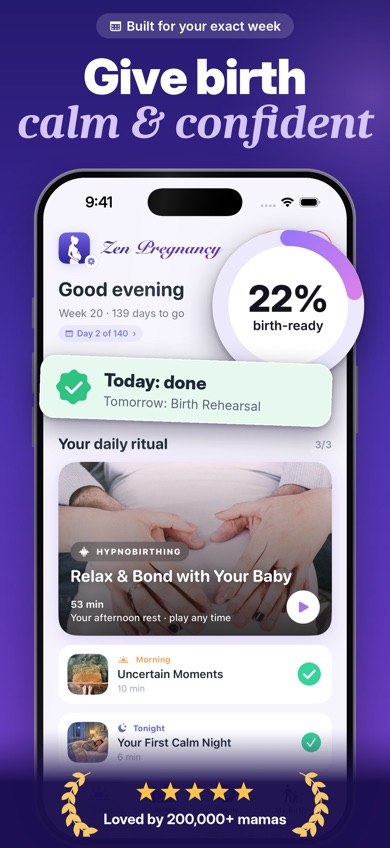
Zen Pregnancy is a pregnancy app built around staying calm and getting ready for labor. It combines more than 60 hypnobirthing, meditation, relaxation, and sleep recordings with breathing practice, daily affirmations, a kick counter, and a contraction timer. The free Release the Fear of Childbirth session gives you a useful way to judge the audio before paying.
The deciding feature is Live Family Sharing. You can create a private page for bump photos and milestones, then let a partner time contractions with you while relatives follow labor updates. None of the other six listings describes this same live link. Pregnancy data can stay on your phone without an account; you control the link, and the page is set to expire after birth.
Zen ranks first despite its smaller review base: 4.71 stars from 339 US App Store ratings and 4.4 stars from 215 Google Play reviews. The iPhone app was updated October 12, 2026. BabyCenter has much more weekly reading and a bigger community, but Zen does more during the anxious evenings and eventual 3 a.m. drive to the hospital. Some audio requires payment, and the exact free-content boundary isn't fully listed.
- More than 60 pregnancy-focused audio sessions
- Live labor sharing with family
- Kick and contraction tools on Apple Watch
- The iPhone version requires iOS 18.0 or later
- The full free-content limit isn't specified
- Price
- Free download; listed options include $4.99 weekly, $9.99 monthly, and $29.99 yearly. Prices checked October 2026.
- Platforms
- iPhone, iPad, Android, with kick and contraction tools on Apple Watch.
Pick Zen Pregnancy if you want one app for hypnobirthing practice, everyday pregnancy tracking, and shared labor updates.
Zen Pregnancy pregnancy app for iPhoneZen Pregnancy for Android
BabyCenter Pregnancy Tracker
4.9 on the App Store (298,423 ratings)
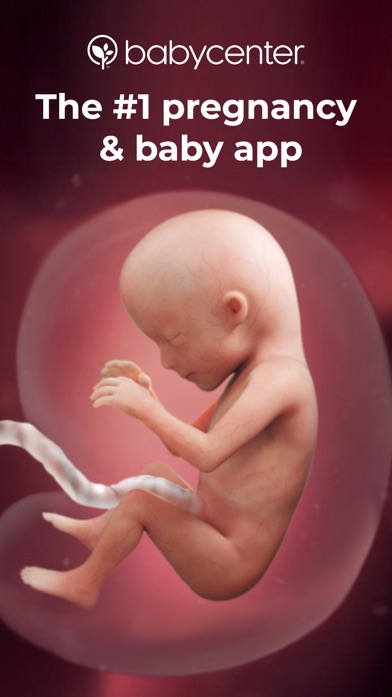
BabyCenter Pregnancy Tracker is the strongest free pregnancy app here for weekly information and parent community. Its calendar tracks appointments and symptoms, while 3D development videos explain what changes each week. You also get a kick counter, contraction timer, baby-name generator, registry tools, and free childbirth and baby-safety classes.
Birth Clubs are BabyCenter's big advantage. They group parents with due dates in the same month, which is useful when you want to compare notes on nausea, scans, or hospital bags. Community posts aren't medical guidance, though. Treat symptom concerns and urgent questions as calls for your prenatal care team.
The US App Store listing had 4.89 stars from 298,423 ratings and was updated October 16, 2026. That's a huge audience compared with Zen, and BabyCenter wins on reading depth and peer discussion. It loses ground on calm audio and partner-facing labor sharing. The app is free and ad-supported, so expect brand and registry promotion among the useful material. For a no-subscription pregnancy tracker app, this is the easy recommendation.
- Free weekly guidance and classes
- Due-date-based Birth Clubs
- Kick counter and contraction timer
- Ads and product promotion are present
- The iPhone app requires iOS 17.0 or later
- Price
- Free and ad-supported. No US App Store purchases were confirmed in the supplied listing; checked October 2026.
- Platforms
- iPhone, iPad, Android, and web.
Pick BabyCenter Pregnancy Tracker if you want detailed free guidance and an active due-date community.

Pregnancy+
4.9 on the App Store (76,799 ratings)
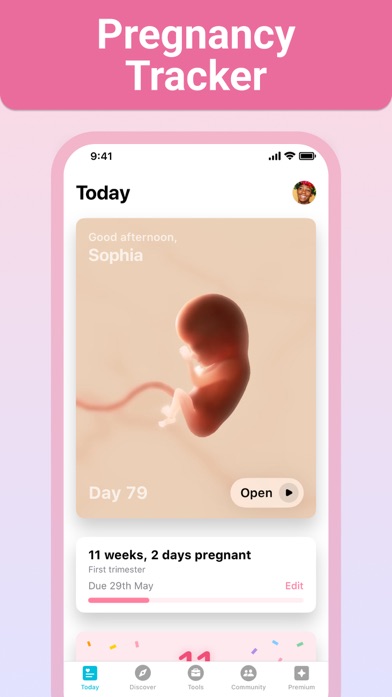
Pregnancy+ is the most visual pregnancy tracker app in this group. Its interactive 3D models let you rotate and zoom through fetal development week by week. You can also compare scans, read daily articles, and view a timeline of pregnancy milestones. If seeing development is what keeps you opening the app, Pregnancy+ gets this part right.
The app isn't only a visual guide. It has a kick counter, contraction timer, weight log, appointment calendar, hospital-bag checklist, birth-plan tool, and baby-name search. That collection is broad enough to carry you from a positive test into labor without needing several basic tracking apps.
The US App Store showed 4.85 stars from 76,799 ratings, with an August 10, 2026 update. Some tools sit behind premium access, and the exact free boundary can change. Listed prices include $5.99 for one month, $12.99 for three months, and $34.99 annually. Zen is better for hypnobirthing and live partner updates; Pregnancy+ wins when fetal visuals and organized planning are the reason you're downloading.
- Interactive 3D fetal models
- Exportable birth-plan tools
- Kick, contraction, and weight tracking
- Some tools require premium access
- Exact free limits aren't specified
- Price
- Free download; $5.99 monthly, $12.99 for three months, or $34.99 yearly. Prices checked October 2026.
- Platforms
- iPhone, iPad, and Android.
Pick Pregnancy+ if interactive fetal visuals will help you follow development and stay engaged each week.

Ovia Pregnancy
4.8 on the App Store (90,762 ratings)
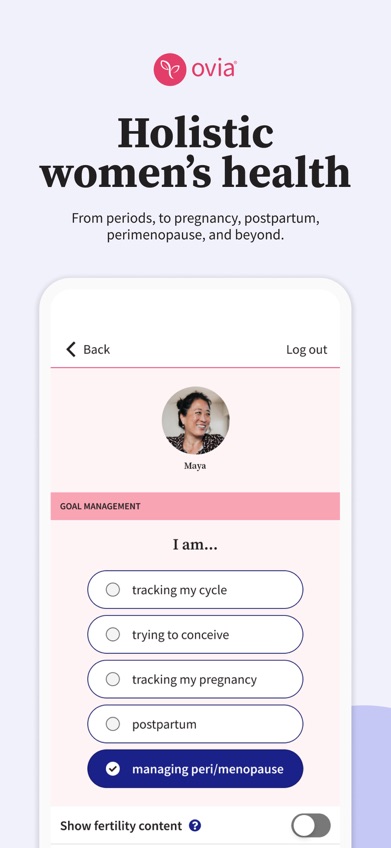
Ovia Pregnancy is the data-heavy choice. Along with weekly fetal development and a due-date countdown, it can record symptoms, fetal movement, weight, blood pressure, mood, medication, and nutrition. That's useful if you like bringing an organized log to appointments instead of trying to remember which Tuesday the headaches started.
Ovia also covers more than pregnancy. Its listing describes cycle tracking before conception and a 12-month postpartum program that changes based on delivery type. More than 2,000 articles cover fertility, pregnancy, birth recovery, menopause, and related health topics. Employer or health-plan access may add tools, though consumer premium pricing isn't confirmed.
The US App Store showed 4.83 stars from 90,762 ratings and an October 21, 2026 update. The app is generally free and ad-supported. It asks you to record a lot of sensitive information, so read the current privacy policy and deletion controls before building a detailed health history. Ovia beats Zen on the number of health fields you can log; Zen is less clinical and better for audio-based birth preparation.
- Broad symptom and health logs
- Pregnancy through postpartum coverage
- More than 2,000 educational articles
- The iPhone app requires iOS 18.0 or later
- Consumer premium pricing is unknown
- Price
- Free with ads; premium access may come through an employer or health plan. Consumer pricing wasn't confirmed in October 2026.
- Platforms
- iPhone, iPad, and Android.
Pick Ovia Pregnancy if detailed health logging and a longer postpartum program are more useful than meditation or community.

The Bump
4.9 on the App Store (40,194 ratings)
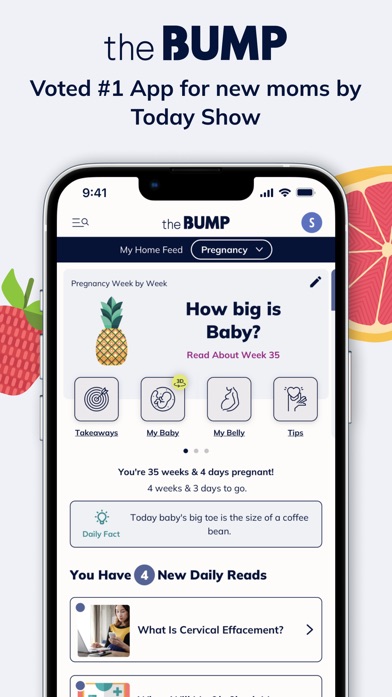
The Bump combines a free pregnancy tracker with baby-name and registry planning. Weekly illustrated size comparisons are its familiar hook, backed by interactive fetal visuals and articles matched to your stage. A food-safety tool is handy when you're standing in a grocery aisle wondering whether a particular cheese belongs in the cart.
Its Planner+ tool suggests questions for prenatal visits and can place appointments on your phone calendar. You also get a journal, due-date calculator, weight log, kick counter, and contraction counter. Registry tools sit in the same app, which saves switching between pregnancy updates and product lists when you're sorting out strollers or bottles.
The US App Store listing had 4.85 stars from 40,194 ratings and was updated October 21, 2026. It's free, with advertising and shopping content. The registry focus is a strength if you're actively building one; it can feel like extra noise if you only want health tracking. BabyCenter has the stronger community, while Pregnancy+ has richer fetal models. The Bump lands between them as a friendly planning app.
- Registry and pregnancy planning together
- Food-safety lookup
- Appointment questions and calendar support
- Shopping content can distract from tracking
- The iPhone app requires iOS 17.6 or later
- Price
- Free and ad-supported; no paid consumer price was confirmed. Checked October 2026.
- Platforms
- iPhone, iPad, and Android.
Pick The Bump if your pregnancy planning and baby registry are already becoming one big project.
What to Expect
What to Expect is centered on week-by-week pregnancy education, videos, community groups, and birth clubs. The writing is aimed at quick everyday questions: what might happen this week, which symptoms are common, and what you may want to discuss at the next appointment. That format suits readers who prefer a familiar guide over detailed data entry.
Community is the other reason to choose it. Due-date groups give you a place to talk with parents at a similar stage, while registry material connects pregnancy planning with shopping. Peer discussions can include incorrect or frightening advice, so use groups for shared experience and take medical questions to a clinician.
Available sources describe the app as free and ad-supported on iPhone, iPad, Android, and the web. The supplied October 2026 source set didn't include a current US App Store rating, update date, or exact free-tier limits, so check the listing before downloading. BabyCenter ranks higher because its current store facts and included tracking tools are better documented. What to Expect still makes sense if you already like its style of pregnancy education.
- Readable week-by-week education
- Birth clubs and community groups
- Pregnancy videos and registry material
- Ads and registry promotion are present
- Current store rating and limits weren't confirmed
- Price
- Free and ad-supported; exact limits and paid options are unknown. Check the listing.
- Platforms
- iPhone, iPad, Android, and web.
Pick What to Expect if approachable weekly articles and parent discussion are your main reasons for installing a pregnancy app.

Flo
4.7 on the App Store (2,003,647 ratings)
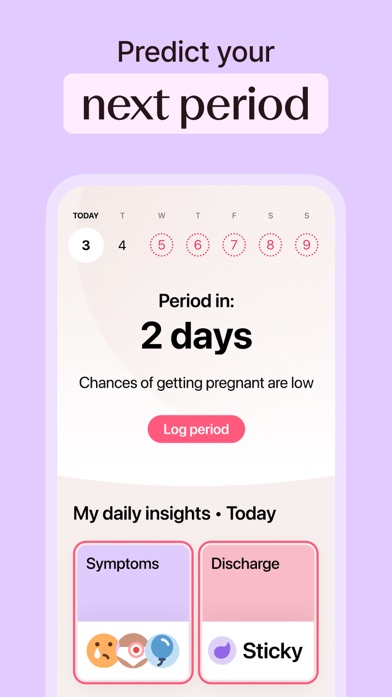
Flo makes the most sense when your cycle history is already there. After conception, Pregnancy Mode changes the app to weekly fetal-development updates, daily articles, checklists, and pregnancy symptom tracking. You don't have to start a separate record in an unfamiliar app.
Flo also has Anonymous Mode, which lets the app be used without personal identifiers being attached to health data. Privacy still deserves a fresh policy check before you enter pregnancy details, journal notes, or symptoms. The free tier includes basic tracking, but the exact split between free and paid pregnancy content isn't confirmed in the supplied listing.
The US App Store showed 4.74 stars from 2,003,647 ratings and an October 22, 2026 update. That rating count is the largest here, but Flo ranks seventh because pregnancy is one mode inside a much broader reproductive-health app. Zen, BabyCenter, and Pregnancy+ are more focused on this specific nine-month job. Listed purchase amounts range widely, including $47.99, $49.99, and $59.99 entries with unclear billing periods, so verify the checkout screen.
- Keeps existing cycle history
- Anonymous Mode is available
- Pregnancy Mode has weekly updates
- Pregnancy isn't the app's sole focus
- Paid billing periods are unclear
- Price
- Free basic tracking; paid amounts vary and billing periods weren't fully confirmed. Check the listing before purchase.
- Platforms
- iPhone, iPad, Android, and Apple Watch.
Pick Flo if you already track cycles there and want pregnancy updates without moving to a separate app.
Zen Pregnancy vs BabyCenter Pregnancy Tracker
These are the closest choices for most readers, but they solve different parts of pregnancy. Zen puts calm practice and labor sharing first. BabyCenter gives you a deeper free library and a much larger discussion community.
| Point | Zen Pregnancy | Rival |
|---|---|---|
| Main focus | Hypnobirthing, meditation, tracking, and labor preparation | Weekly education, pregnancy tools, classes, and community |
| Labor tools | Contraction timer, breathing audio, partner timing, and live family updates | Contraction timer, kick counter, checklists, and birth-plan material |
| Community | Private sharing with invited family | Large Birth Clubs grouped by due month |
| Free access | Free download and a named hypnobirthing session; other limits vary | Broad free app supported by advertising |
| Store ratings | 4.71 from 339 US App Store ratings | 4.89 from 298,423 US App Store ratings |
Zen Pregnancy wins if you want guided calm and a private labor link that your partner can use. It's also the more focused choice for hypnobirthing practice.
BabyCenter wins on free educational depth, classes, and community scale. Download BabyCenter if you expect to spend more time reading and talking with other parents than listening to birth-preparation audio.
What to check before choosing a pregnancy tracker app
Weekly guidance with sensible limits
Most pregnancy apps explain fetal growth, body changes, and common symptoms by week. Check who reviews that material and when it was updated. An app can help you prepare questions, but it can't diagnose pregnancy, confirm that a symptom is safe, or replace prenatal care. Call your clinician about pain, bleeding, reduced movement, or anything that feels urgent.
The tracking tools you'll actually use
A long tool list looks impressive until you realize you only need appointments and kick counting. Pick based on your likely routine: Ovia is strongest for detailed health logs, Pregnancy+ handles planning well, and Zen adds labor breathing beside its contraction timer. Check whether data can be exported or recovered before storing months of notes.
Privacy and deletion controls
Pregnancy data can include symptoms, due dates, photos, medication, and journal entries. Read the current privacy policy for collection, advertising, third-party sharing, retention, and account deletion. If you plan to record sensitive health details, check what happens after birth or pregnancy loss and whether deleting an account also removes saved records.
Free limits, subscriptions, and ads
Free can mean a full ad-supported app, a short sample, or basic tracking with articles behind a subscription. Open the purchase screen before starting a trial and note the renewal period. BabyCenter is the simplest free pick here. Pregnancy+ and Zen have paid options, while Flo's supplied purchase entries don't clearly identify every billing period.
Community and life after birth
Birth clubs are useful for company, local tips, and comparing shopping lists. They can also contain misinformation or upsetting posts. Check moderation tools and decide how much community you want. If you're planning ahead, look at postpartum modes too: Ovia describes a 12-month recovery program, while BabyCenter continues into baby growth, feeding, and sleep.
Frequently asked questions
What is the best pregnancy app in 2026?
Zen Pregnancy is the best pregnancy app for a mix of hypnobirthing audio, weekly tools, contraction timing, and live partner sharing. BabyCenter Pregnancy Tracker is better if free articles and community are your priorities.
What is the best free pregnancy app?
BabyCenter Pregnancy Tracker is the best free pregnancy app in this comparison because weekly guidance, classes, Birth Clubs, kick counting, and contraction timing are included. The app is supported by ads.
Which pregnancy app has the best 3D baby view?
Pregnancy+ has the strongest 3D fetal-development tools here, with interactive models that can be rotated and viewed by pregnancy week.
Which pregnancy app has the best community?
BabyCenter Pregnancy Tracker is the best fit for community because its Birth Clubs group parents by due month. Community posts can be useful for shared experience, but they aren't medical advice.
Can a pregnancy app replace a doctor?
A pregnancy app can't replace prenatal appointments, diagnostic tests, or urgent medical advice. Contact your clinician about concerning symptoms or changes in fetal movement.
Are pregnancy app due dates accurate?
Pregnancy app due dates are estimates based on the dates entered and can change after clinical dating. An ultrasound and your prenatal care team provide the medical estimate used for care.
How private is my pregnancy data?
Privacy varies by app, so check the current policy for advertising, third-party sharing, retention, and deletion. Review the controls before entering symptoms, medication, photos, or journal notes.
Can my partner see my contractions live?
Zen Pregnancy has Live Family Sharing, which lets a partner help time contractions while invited relatives follow labor updates through a private page. The person creating the page controls the link.
Our verdict on the best pregnancy app
Choose Zen Pregnancy if you want one app that covers everyday pregnancy tracking, hypnobirthing practice, and live labor sharing. Pick BabyCenter for the strongest free education and community, Pregnancy+ for 3D fetal visuals, or Ovia when detailed health logging comes first.
Zen Pregnancy is best for shared labor preparation
Zen Pregnancy's strongest feature is its private Live Family Sharing page. Your partner can help time contractions while invited relatives follow updates, without turning labor into a group-text avalanche. None of the other six app listings describes the same live setup.
It's worth trying if hypnobirthing, breathing practice, and involving your partner are central to your birth plan. The smaller rating count reflects a smaller audience, not a weaker fit. Check the paid audio limits and iPhone requirement before committing.