
How to Check and Rewrite AI Text in One Workflow
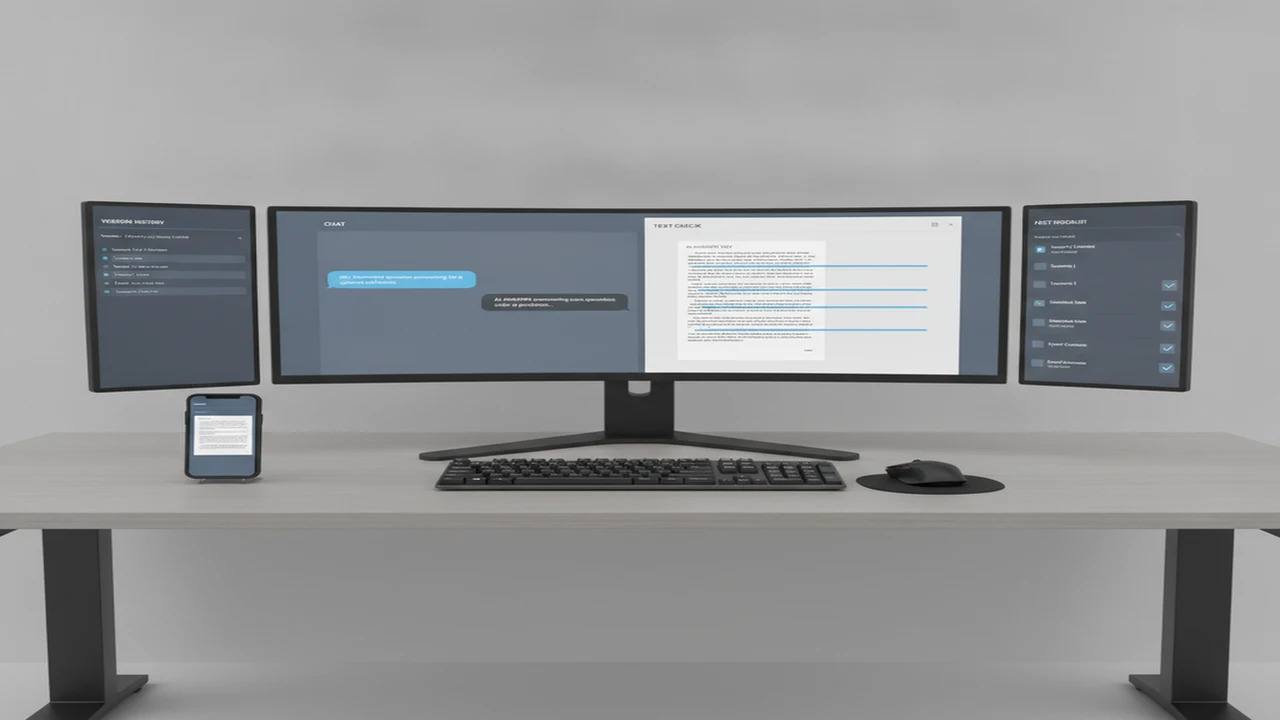
Checking AI-generated writing is not simply a matter of pasting a draft into a detector and obeying its score. A useful workflow separates three jobs: identifying passages that deserve attention, improving the writing without changing its meaning, and verifying whether every claim remains accurate.
AI chat is well suited to planning, critique, source questions, and voice guidance. A dedicated checker becomes useful when you want passage-level screening, repeatable rescans, or a focused mobile interface. The goal is not to chase a particular score. It is to produce writing that is accurate, specific, appropriately attributed, and recognizably yours.
Quick answer: Save the original draft and identify the facts, quotations, and meaning that cannot change. Run a clean copy through an AI content detector, using flagged passages as editorial signals rather than proof of authorship. Rewrite for specificity, rhythm, and context, then verify claims through AI chat and primary sources. Finish with another check and a careful human read.
What should you save before checking AI-generated text?
Duplicate the draft before making any changes. Keep the original, the checked version, and the final revision as separate files or clearly labeled document versions. This gives you a baseline when a rewrite accidentally removes a qualification, changes a number, or shifts the intended conclusion.
Write down the draft's purpose, reader, format, and desired tone. Mark direct quotations, citations, names, dates, statistics, technical terms, and claims that must not change. If an AI Writer helped create the draft, also save the original prompt and any source material supplied to it.
Create a short voice brief for later prompts. It might say: direct but not abrupt, varied sentence length, no invented anecdotes, explain specialist terms once, and preserve the author's cautious position. A strong brief is more useful than asking a chatbot to make the text sound human.
If you are deciding which parts belong in conversation and which need a specialized interface, the guide to a dedicated checker versus a chatbot explains that division of labor.
- Preserve the untouched draft, prompts, citations, and source notes.
- Define the audience, purpose, voice, and facts that must remain fixed.
- Check a clean copy without editing it during the first pass.
- Inspect highlighted passages for identifiable writing problems.
- Compare critiques from two models when a passage remains unclear.
- Rewrite one passage at a time while preserving its claim.
- Verify facts, quotations, citations, and required disclosures.
- Review the complete document as a human reader.
How do you run the first AI detector check?
Prepare a clean sample containing the prose you actually want assessed. Remove navigation labels, reference lists, repeated templates, code, tables, and copied quotations unless they are part of the writing question. Keep headings if they affect the document's flow, but do not combine unrelated authors or documents into one sample.
You can paste the sample into the web-based AI Detector and record the displayed result before changing anything. Save the date, tool, document version, overall result, and any passage-level highlights. A screenshot or short note makes later comparisons easier.
Document-level results summarize the sample as a whole. Passage-level highlights can help locate paragraphs that deserve closer reading, but neither type identifies the underlying editorial problem for you. If a long document produces one broad result, check logical sections separately without reducing the sample to isolated sentences that lack context.
Do not start rewriting halfway through the first scan. Capturing one stable baseline prevents you from confusing the effect of a revision with differences in sample length, formatting, or tool behavior.
How should you interpret an AI Checker result?
Read every flagged passage beside the original voice brief. Look for observable issues: repeated sentence openings, similarly sized sentences, vague transitions, inflated claims, excessive summaries, generic examples, unsupported certainty, and paragraphs that restate the heading without adding information.
A flag is most useful when it leads to a specific editorial diagnosis. Instead of writing “this sounds like AI,” note that the paragraph uses three abstract claims without evidence, repeats the same transition, or lacks the domain detail expected by its audience. These observations can guide a controlled rewrite.
Do not ask an AI Chatbot to certify whether the detector is correct. General chat models can critique style, but they cannot establish the hidden origin of a passage merely by reading it. For a deeper explanation, see whether a chatbot can reliably detect AI writing.
The broader adoption data also supports keeping a person in the loop. QuillBot's 2023 survey reported that over 80% of respondents still performed a human review after AI rewriting. The important habit is not automatic acceptance or rejection of a result, but documented editorial judgment.
How can AI chat help plan a better rewrite?
Use AI chat to diagnose one dimension at a time. A broad instruction such as “humanize this” gives the model too much freedom and can alter claims. A constrained prompt should provide the passage, audience, voice brief, protected facts, and the exact type of feedback required.
Try: “Review this paragraph for vague language and unsupported certainty. Do not rewrite it. List up to three problems and quote the phrase connected to each one.” Follow with: “Suggest two revision strategies that preserve every number, citation, and factual qualification.” Only then request a rewrite of the selected passage.
For rhythm, ask the AI Assistant to identify repetitive sentence structures rather than varying every sentence mechanically. For specificity, ask which claims need an example, source, definition, or concrete consequence. For audience fit, ask what prior knowledge the paragraph assumes.
A useful multi-model habit is to send the same diagnostic prompt to two models. Keep concerns that overlap, examine disagreements, and resolve factual questions through source research rather than a vote between chatbots. Our guide to detector and humanizer tools for chat users places that comparison habit in a broader tool-selection workflow.
According to G2's 2024 AI in Content Editing guide, 74% of surveyed content professionals used AI somewhere in editing or rewriting, while 61% of teams used two or more AI tools in a typical content project. Those figures describe adoption, not accuracy, but they show why handoffs between chat, checking, and editing need clear rules.
- Clarity prompt: Identify sentences that require rereading and explain why.
- Evidence prompt: Separate sourced claims, unsupported claims, and opinions.
- Voice prompt: Compare the passage with the supplied voice brief without imitating a named living writer.
- Constraint prompt: Propose revisions while preserving listed facts, quotations, and citations exactly.
When should you use a dedicated AI Humanizer?
Stay in AI chat when you need a conversation about purpose, evidence, structure, or alternative phrasings. Move to a focused rewriting interface when you repeatedly check passages, want a combined checking and revision flow, or need to work from a phone.
The iOS listing for AI Humanizer presents a mobile option for checking and rewriting chatbot text. Its practical role in this workflow is passage-level assistance after you have already locked the meaning, sources, and voice constraints.
A dedicated interface should shorten repetitive steps, not replace editorial decisions. Review its output line by line. Reject revisions that add personal experiences you did not have, exaggerate certainty, remove attribution, or replace a precise technical term merely to make the sentence look different.
Mobile convenience can be useful for short passages and repeated checks, but long reports are easier to control in a versioned document where citations, comments, and tracked changes remain visible.
How do you rewrite without changing the meaning?
Work passage by passage. First write a one-sentence statement of what the passage must communicate. Copy protected facts and citations into a constraint list. Then revise only the wording needed to solve the diagnosed problem.
Replace filler with direct information. Add a concrete example only when it is true, relevant, and supportable. Use domain-specific language when readers expect it, but define unfamiliar terms. Vary sentence structure where repetition harms readability, not simply because variation might influence a score.
After each revision, compare it with the original sentence by sentence. Ask whether the subject, time frame, quantity, degree of certainty, causal relationship, and attribution still match. Words such as “may,” “often,” and “proves” are not interchangeable.
AI Detector App can provide a repeatable checking stage, while AI Humanizer, AI Checker: ACI can support focused mobile revisions. Neither should decide what the author means. That responsibility remains with the writer or editor.
- Preserve names, numbers, quotations, qualifications, and source relationships.
- Cut generic introductions that merely announce the topic.
- Replace abstract praise with a specific feature, effect, example, or limitation.
- Split overloaded sentences when doing so clarifies the relationship between claims.
- Restore natural phrasing from the author's genuine vocabulary instead of manufacturing quirks.
- Read the original and revision aloud before accepting the change.
How do you verify the rewritten draft?
Begin with factual verification, not another detector scan. List every externally checkable claim and locate the supporting primary source where possible. Confirm that each citation supports the nearby statement, each quotation is exact, and every statistic retains its correct population, date, and context.
AI chat can help turn a draft into a claim checklist or suggest search terms, but it should not be treated as the source. Open the underlying publication, product documentation, study, policy, or official record. Record unresolved claims and either qualify, source, or remove them.
Review plagiarism and attribution separately from AI detection. Rephrasing borrowed ideas does not remove the need for citation, and a low detector result does not establish originality. Check applicable publication, school, workplace, or client rules for disclosure of AI assistance.
Run the final text through the same checker using comparable sample boundaries. Note whether highlighted areas changed, but do not damage a clear and accurate paragraph merely to lower a score. Finish with a manual read for logic, tone, transitions, accessibility, and consistency with the saved voice brief.
- Match every factual claim to an appropriate source.
- Confirm quotation wording and surrounding context.
- Check that citations stayed attached to the correct claims.
- Review attribution, originality, and AI-use disclosure requirements.
- Compare the final detector pass with the saved baseline.
- Approve the text only after a complete human read.
What can AI detection and rewriting tools not tell you?
AI detectors estimate patterns and cannot establish who or what wrote a passage. False positives and false negatives can affect human-written and AI-assisted work, while different systems may produce different results because their models, thresholds, sample handling, and presentation methods vary.
Rewriting for a detector score can make prose less clear, less accurate, or less representative of the writer's real voice. A humanized passage is not automatically original, factual, properly cited, or ready to publish. These are separate editorial questions requiring source review and human judgment.
Uploading text can also create privacy or policy concerns. Do not submit confidential, unpublished, student, employee, medical, legal, or client material until you understand the service's data practices and the rules governing that document.
Education, employment, legal, disciplinary, or other high-stakes decisions should not depend on one detector result. Use available evidence, documented process, relevant policy, and qualified human review.
Comparison
| Workflow stage | Main question | Best tool type | Output to save | Reason to pause |
|---|---|---|---|---|
| Original draft | What meaning must remain? | Versioned document | Untouched copy and constraints | Sources or ownership are unclear |
| First detector pass | Which passages deserve review? | AI content detector | Baseline result and highlights | The sample mixes unrelated material |
| Passage diagnosis | What is the observable writing issue? | Human editor plus AI chat | Specific issue notes | The only diagnosis is a score |
| Multi-model critique | Do independent critiques overlap? | Two AI chat models | Agreements and disagreements | A model introduces new facts |
| Focused rewrite | Can clarity improve without changing the claim? | Chat or dedicated rewriter | Tracked passage revision | Meaning, attribution, or certainty shifts |
| Fact verification | Does each claim match its source? | Primary sources and research tools | Claim-to-source checklist | A citation does not support the sentence |
| Final detector pass | What changed under comparable conditions? | Same detector and sample method | Final result beside baseline | Score chasing harms the prose |
| Human editorial review | Is the draft accurate and publishable? | Writer or editor | Approved final version | Tone, disclosure, or policy issues remain |
Limitations
Frequently Asked Questions
Can any tool reliably prove that text was written by AI?
No. Detection tools estimate whether writing resembles patterns associated with generated text. A result can support closer review, but it cannot independently establish authorship or justify a high-stakes decision.
How can I check if text is AI-generated without changing it first?
Save an untouched copy, remove unrelated boilerplate, submit a coherent sample, and record the result before editing. Keep the sample boundaries and tool consistent if you plan to compare the first and final passes.
What prompt should I use to humanize AI writing?
Try: “Revise this passage for clarity, specificity, and natural rhythm. Preserve every fact, number, quotation, citation, qualification, and conclusion. Do not invent experiences or sources. Explain each meaningful change.” Supply a voice brief and review the output yourself.
Should I use AI Detector App before or after rewriting?
Use it before rewriting to create a baseline and after rewriting to observe changes under similar conditions. The second result should inform review rather than determine whether an accurate passage must be changed again.
Can AI Humanizer, AI Checker: ACI check chatbot text on an iPhone?
Its Australian App Store listing presents it as an iOS tool for checking and humanizing chatbot text. Confirm current device compatibility, features, privacy information, and purchase terms directly in the listing before use.
Does rewriting AI text make it original?
Not automatically. New wording can still reproduce another source's ideas, structure, or unsupported claims. Check attribution, quotations, citations, and applicable originality requirements separately.
Why do different AI content detectors return different results?
Tools can use different models, training data, thresholds, text-length requirements, and scoring methods. Formatting and sample boundaries may also affect results, so disagreement should lead to closer reading rather than score averaging.
Should I disclose that an AI Writer or AI Chat assistant helped with a draft?
Follow the rules of the publisher, school, employer, platform, or client. When disclosure is required, describe the relevant assistance accurately, such as outlining, editing, translation, or drafting, rather than making a vague statement.