
Best Yuka Alternatives in 2026
Quick answer: Product Scanner is the top pick for Android users who want unlimited free barcode scans, a 0-100 food score, and a package-photo fallback. Bobby Approved is the simpler, established choice for quick ingredient verdicts. Fig is better for allergies, intolerances, and highly specific diets.
You're in the cereal aisle, one hand on the cart and the other holding a label that reads like a tiny chemistry exam. A food scanner app can translate it, but apps like Yuka don't all judge food the same way.
Some give one health score. Others focus on additives, allergies, gluten, calories, or weight loss. We ranked these picks by how closely they answer the basic shopping question: Is this packaged food a good fit for me?
Comparison at a glance
| App | Best for | Platforms | Free version | Price | Standout |
|---|---|---|---|---|---|
| Product Scanner | Free barcode and package-photo checks | Android | Unlimited barcode scans, photo scans, scores, and diet flags | Free; no paywall stated, checked November 2026 | 0-100 score plus a photo option when no barcode is available |
| Bobby Approved | Simple ingredient verdicts | iPhone, iPad, Android | Barcode scans, ingredient explanations, and alternatives | Free, checked November 2026 | Checks products against more than 100 flagged ingredients |
| Fig | Allergies and complex diets | iPhone, iPad, Apple Watch | Free download; exact scan limits aren't stated | Fig+ from $5.99 monthly or $39.99 yearly | More than 2,800 dietary restriction options |
| Open Food Facts | Nutrition and processing data | Web; check mobile listings | Web product lookup; mobile limits aren't confirmed | Check the listing | Nutri-Score, NOVA group, ingredients, and allergens |
| The Gluten Free Scanner | US gluten checks | iPhone, iPad | Free download; exact scan limits aren't stated | $4.99 full version, checked November 2026 | Food scans plus gluten risk information for restaurant dishes |
| MyFitnessPal | Calories and macro tracking | iPhone, iPad | Basic nutrition and food logging | Listed Premium options include $19.99 monthly and $79.99 yearly | A food log covering more than 20.5 million foods |
| Lose It | Weight-loss planning | iPhone, iPad | Calorie tracking and a personalized weight plan | Premium purchases range from $9.99 to $79.99 | Photo and voice meal logging with a calorie budget |
Prices and ratings from the US App Store and Google Play, checked November 2026. Store prices change; the listing is the final word.
How we picked
We read the US App Store and Google Play listings, listed in-app purchase menus, and the official Open Food Facts website in November 2026. There are no hands-on notes for these apps, so this ranking uses documented functions, prices, platform requirements, store ratings, and rating counts.
Apps closest to Yuka's packaged-food use came first. Calorie trackers rank lower because they can log scanned foods but don't center their results on ingredient or additive judgments.
- How directly the app answers whether a packaged food fits your needs.
- Whether the scoring method or ingredient flags are explained.
- Barcode coverage and a backup for missing products.
- Allergen and dietary-profile support.
- Free scan limits, paid prices, and supported devices.

Product Scanner
Product Scanner is a healthy food scanner app for packaged food. It's the best fit here for free barcode and package-photo health checks because its November 2026 Google Play listing documents unlimited barcode scans, a front-of-pack photo option when a code is missing, and no account or paywall. None of the other listings documents that full combination.
Each result has a 0-100 score based on Nutri-Score, additives, and organic status. The ingredient scanner explains additives and E-numbers by risk level, while declared allergens and "may contain" traces appear separately. You can save vegan, keto, gluten-free, halal, nut, or milk preferences too. The app also says when allergen data is missing, which is better than presenting an empty field as reassurance.
There are extras: healthier alternatives, meal calorie estimates from photos, produce freshness checks, and product questions through Ask AI. The tradeoff is easy to spot. Product Scanner is brand new and has no ratings yet, and it's Android only with no iPhone app yet. Its listing was updated November 13, 2026, supports 32 languages, and states that everything is free.
- Unlimited free barcode scans
- Package-photo scanning when a barcode is missing
- Personal diet and allergy flags
- A score tied to stated nutrition and additive inputs
- Very short store track record
- Food scores still need to be checked against the current package label
- Price
- Free with no account or paywall stated; checked November 2026.
- Platforms
- Android.
Pick Product Scanner if you use Android and want a free Yuka alternative that can check a barcode or identify the package from its front photo.

Bobby Approved
4.9 on the App Store (166,846 ratings)
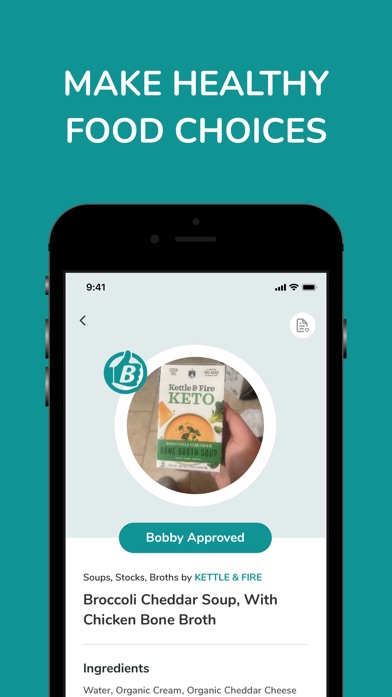
Bobby Approved is a barcode-based ingredient scanner with a quick approval verdict. It's best for shoppers who want a simple ingredient rulebook because its listing says it checks products against more than 100 flagged ingredients, marks problem entries, explains each one, and suggests alternatives. The other broad food scanners don't use this same published Bobby-specific list.
The app can search by product or ingredient and browse food by store. That helps when you're planning a grocery run and don't have the package in your hand. Its biggest advantage over Product Scanner is history: Bobby Approved had 4.86 stars from 166,846 US App Store ratings in November 2026.
The verdict is based on its own ingredient standards, so you'll need to agree with those standards for the result to be useful. It also has fewer documented personal diet controls than Fig. Bobby Approved is free, works on iPhone and Android, and requires iOS 15.1 or later on Apple devices.
- More than 100 flagged ingredients
- Ingredient explanations and replacement suggestions
- Search and store-based browsing
- Large App Store rating count
- Uses one specific ingredient philosophy
- Less diet personalization than Fig
- Price
- Free; checked November 2026.
- Platforms
- iPhone, iPad, and Android.
Pick Bobby Approved if you want a free, established scanner that gives a fast approval verdict and explains flagged ingredients.

Fig
4.7 on the App Store (16,928 ratings)
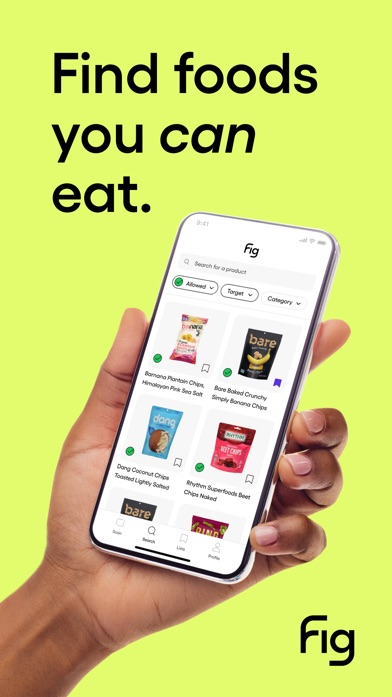
Fig checks ingredients against a personal dietary profile. It's the best pick for complex restrictions because its App Store listing documents more than 2,800 allergy, intolerance, and diet options, including low FODMAP, low histamine, alpha-gal, vegan, and gluten-free. No other app in this list documents that range of profile choices.
That focus changes the answer from a generic health score to a more useful question: Does this fit my specific list? Fig also has ingredient education, grocery discovery, recipes, shopping lists, and multiple profiles for households. It had 4.71 stars from 16,928 US App Store ratings when checked.
Fig is a free download, but the exact free scan cap isn't stated in the supplied listing. Fig+ purchase options start at $5.99 monthly or $39.99 yearly, with several higher prices also shown. Multiple profiles, restaurant tools, and unlimited scans may require Fig+. The confirmed Apple version needs iOS 16.4 or later.
- More than 2,800 restriction options
- Personal ingredient compatibility checks
- Multiple household profiles
- Grocery and restaurant discovery
- Some useful tools require Fig+
- The listing shows several subscription prices
- Price
- Free download; Fig+ starts at $5.99 monthly or $39.99 yearly, checked November 2026.
- Platforms
- iPhone, iPad, and Apple Watch; check the listing for other platforms.
Pick Fig if allergies, intolerances, or several overlapping dietary rules decide what goes into your cart.
Open Food Facts
Open Food Facts is a public food-product database with ingredient and nutrition records. It's best for readers who want to inspect food data because its documented fields include ingredients, nutrition values, Nutri-Score, NOVA processing groups, and allergen alerts. None of the other picks centers that same set of fields in an open web database.
NOVA is the notable difference. It gives you a processing classification alongside the nutrition score, which can be useful when two products have similar calories but very different ingredient lists. The website also gives you a way to look up products without committing to a calorie diary or somebody else's approved-ingredient list.
The weak point is data consistency. Product entries can come from contributors or manufacturers, and an old record may lag behind a changed recipe. Current US mobile platform support, scan limits, and paid-plan details weren't confirmed in the supplied November 2026 sources, so check the listing. Bobby Approved has a simpler verdict, while Fig has far deeper personal diet controls.
- Nutri-Score and NOVA processing data
- Ingredient, nutrition, and allergen fields
- Public web product lookup
- Contributor data may become outdated
- Current mobile pricing and limits weren't confirmed
- Price
- Check the listing for current app pricing and limits.
- Platforms
- Web confirmed; check current mobile listings.
Pick Open Food Facts if you want to inspect nutrition and processing records instead of receiving only a pass-or-fail judgment.

The Gluten Free Scanner
4.7 on the App Store (4,782 ratings)
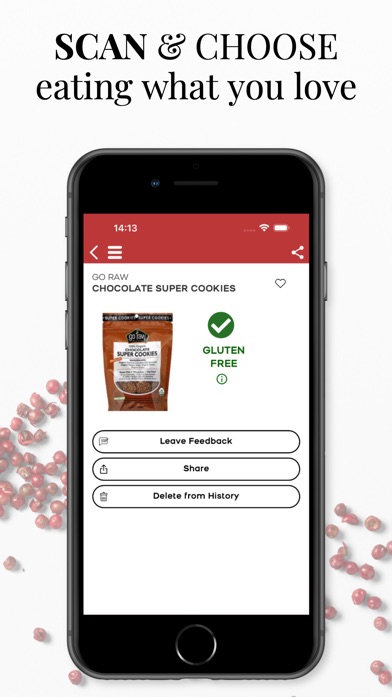
The Gluten Free Scanner checks barcodes for gluten risk. It's the best focused option for US gluten-free shoppers because its listing claims more than one million food and drink records plus 150,000 US restaurants with menu analysis. The broader scanners here don't document that combination of grocery and restaurant coverage for gluten.
Scans return one of four analysis levels. The full version adds product, brand, and category search, a searchable safe and unsafe ingredient list, dining cards, and discovery tools. The app had 4.73 stars from 4,782 US App Store ratings in November 2026, and its first release dates to 2015.
This is a specialist. It doesn't judge broad nutrition quality, additives, calories, or several unrelated diets the way Product Scanner or Fig can. It only covers US products, and the supplied listing doesn't state the free scan limit. The full version is a one-time $4.99 purchase and requires iOS 15.0 or later.
- Gluten-focused barcode results
- US restaurant and menu coverage
- One-time full-version purchase
- US products only
- Built for gluten checks, not broad food scoring
- Price
- Free download; full version costs $4.99, checked November 2026.
- Platforms
- iPhone and iPad.
Pick The Gluten Free Scanner if gluten is your main concern and you want one app for US grocery products and restaurant research.

MyFitnessPal
4.7 on the App Store (2,394,294 ratings)
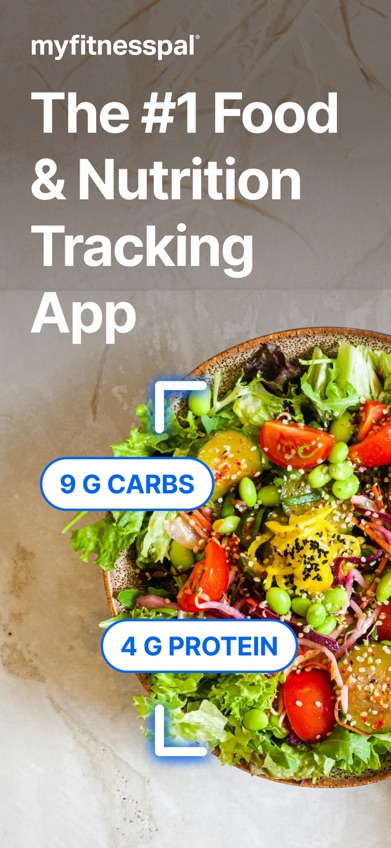
MyFitnessPal is a food diary built around calories, macros, workouts, and goals. It's best for ongoing nutrition tracking because its listing documents more than 20.5 million foods, custom nutrient targets, workout logs, water tracking, and GLP-1 medication reminders. None of the ingredient-first scanners combines that size of logging catalog with fitness records.
Its store history is hard to ignore: MyFitnessPal had 4.71 stars from 2,394,294 US App Store ratings in November 2026. An AI coach can answer questions based on your goals and logging history. That may help after meals, while Yuka-style scanners are mainly used before a product reaches the cart.
This is a diary first. It won't give the same additive-centered shopping verdict as Product Scanner or Bobby Approved. Premium purchase options listed on the App Store include $19.99 monthly and $79.99 yearly, though other prices also appear. The confirmed Apple version requires iOS 18.0 or later.
- More than 20.5 million foods
- Detailed calorie and macro logs
- Workout, water, and GLP-1 tracking
- Premium is expensive
- Weak fit for ingredient-risk scoring
- Price
- Free download; listed Premium options include $19.99 monthly and $79.99 yearly, checked November 2026.
- Platforms
- iPhone and iPad confirmed; check the current listing for other devices.
Pick MyFitnessPal if you care more about daily calories, macros, and exercise than a packaged-food health score.

Lose It
4.8 on the App Store (784,943 ratings)
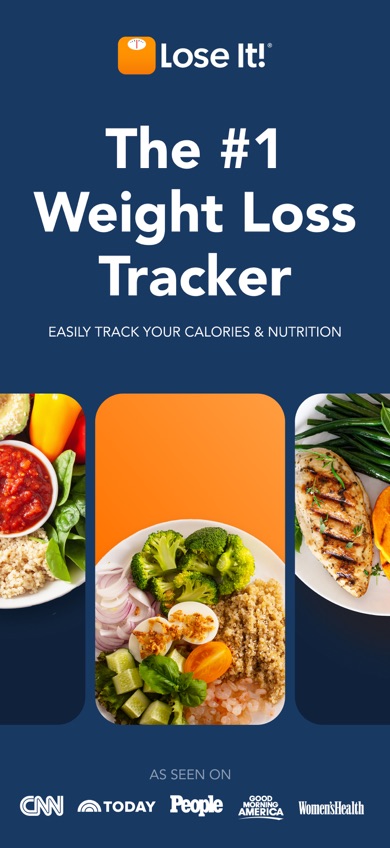
Lose It builds a calorie budget from your profile and weight goal. It's best for weight-loss planning because the free tier documents a personalized calorie target, progress tracking, and exercise logging, while Premium adds barcode, photo, and voice meal entry. The ingredient scanners don't turn food records into a weight schedule.
Photo logging is handy for meals that don't have a barcode, and voice input can record a spoken meal description. Lose It also tracks macros, nutrients, fasting, activity, and GLP-1 medication information. It had 4.77 stars from 784,943 US App Store ratings when checked in November 2026.
Barcode scanning and the more interesting AI entry tools sit in Premium, which weakens its case as a free Yuka alternative. The App Store lists premium purchases from $9.99 to $79.99 and lifetime options at $49.99 or $59.99; check the listing for your exact offer. The confirmed Apple version needs iOS 18.0 or later.
- Personal calorie budget
- Photo and voice meal entry
- Weight, fasting, and GLP-1 tracking
- Barcode scanning requires Premium
- Ingredient analysis isn't the focus
- Price
- Free basic plan; listed premium purchases range from $9.99 to $79.99, checked November 2026.
- Platforms
- iPhone and iPad confirmed; check the current listing for other devices.
Pick Lose It if your main goal is losing weight and you want scanned foods tied to a daily calorie budget.
Product Scanner vs Bobby Approved
These are the closest direct Yuka alternatives in the list. Both scan packaged food and suggest replacements, but they reach their verdicts differently.
| Point | Product Scanner | Rival |
|---|---|---|
| Core result | 0-100 score using Nutri-Score, additives, and organic status | Approval verdict based on more than 100 flagged ingredients |
| Missing barcode | Can identify a product from a photo of the package front | The supplied listing documents barcode scanning and search |
| Personalization | Diet and allergy flags, including vegan, keto, gluten, nuts, and milk | Ingredient rules and store browsing |
| Cost | Unlimited free scans with no paywall stated | Listed as free |
| Store history | New Google Play listing | 4.86 stars from 166,846 App Store ratings |
Product Scanner is the stronger match when you want a numeric health score, personal diet flags, or a backup photo scan. Its score also states the inputs used.
Bobby Approved wins on track record and device choice. It has years of App Store history, a large rating count, and confirmed iPhone support. Pick it if you prefer a fast approval verdict over a layered score.
What to check before you scan
Product coverage
A scanner is only useful when it recognizes what your store sells. Check whether its catalog focuses on US packaged food, restaurants, or international products. A front-of-pack photo option helps when the barcode is missing, damaged, or absent from the database. Manual search is useful for planning at home.
How the score is calculated
Two apps can score the same granola bar differently because they weigh nutrition, additives, processing, and ingredient research in different ways. Look for an explanation of the formula and tap through to the underlying data. A single red or green number is quick, but it can hide why the product received that result.
Allergy and diet controls
For an allergy, generic health scores aren't enough. Look for declared-allergen warnings, separate treatment of trace statements, missing-data notices, and profiles for each household member. The package remains the final source because recipes and manufacturing warnings can change before an app record is updated.
Free limits and paid tools
Check what the word free covers. Some apps include unlimited scans, while others reserve barcode access, multiple profiles, restaurant tools, or photo logging for a subscription. Compare the yearly cost with a one-time purchase, and check the live store screen because several listings display multiple purchase prices.
Device and privacy requirements
Start with the boring details: supported phone, minimum operating system, required account, and permissions. An app that needs iOS 18 won't help an older iPhone. If scans are tied to health goals, allergies, or medication use, read the privacy policy and check whether that information is stored with your profile.
Frequently asked questions
What is the best app like Yuka?
Product Scanner is the top pick for Android because it combines unlimited barcode scans, package-photo recognition, a 0-100 score, and personal diet flags for free.
Is there a completely free Yuka alternative?
Product Scanner's November 2026 listing states that barcode scans are unlimited and there is no account, subscription, or paywall.
What is the best Yuka alternative for iPhone?
Bobby Approved is the strongest simple iPhone option, with free ingredient checks and 4.86 stars from 166,846 App Store ratings.
Which food scanner is best for allergies?
Fig is the best fit for complex allergies and intolerances because it documents more than 2,800 restriction options and personal food compatibility checks.
Why do food scanner apps give different scores?
Food scanner apps use different rules for nutrition, additives, processing, and ingredient risk, so the same product can receive different results.
Can a food scanner replace reading the package label?
No. Formulas and allergen warnings can change before an app database is updated, so the current package label is the final check.
Which Yuka alternative scans both food and cosmetics?
The listings reviewed for this page document food scanning only, so none is a confirmed all-in-one food-and-cosmetics replacement.
Are healthy food scanner scores medically accurate?
A food score is a shopping aid, not medical advice or proof that a product is safe for a specific condition. Check the method, read the label, and ask a qualified clinician about disease-related diets.
The Yuka alternative I'd download first
Product Scanner is the first pick for Android shoppers because unlimited barcode scans, package-photo recognition, and a stated 0-100 scoring method cover the main Yuka use without a paywall. iPhone users should start with Bobby Approved, while anyone managing several allergies or intolerances will get more useful personalization from Fig.
Product Scanner is the free Android pick
Product Scanner is worth trying for one specific reason: it documents unlimited free barcode scans and can use a photo of the package front when there isn't a usable code. The result includes a 0-100 score, additives, allergens, and personal diet flags, so you get more than a generic thumbs-up.
It's best suited to Android shoppers who want quick packaged-food checks without creating an account or starting a subscription. The store history is still very short, so cautious buyers may prefer Bobby Approved's longer record.