
Best Price Checker Apps in 2026
Quick answer: ShopSavvy is the best price checker app for most shoppers because it compares retailers, scans barcodes, tracks price history, and sends price-drop alerts. What's It Worth is better for identifying products from photos and estimating resale value. BuyVia is a good free pick when you want a basic barcode scanner without an account.
You're standing in a store aisle with a boxed coffee maker, a sale sticker, and a sneaking feeling that the same model costs less online. A good price checker app can settle that before you reach the register.
The right choice depends on what you're scanning. Barcodes call for exact product matching. A lamp in an Instagram screenshot needs visual search. If you've searched 'how much is it worth app,' resale estimates are probably your priority.
We ranked seven options for those different jobs. Some compare many stores; others search one marketplace or focus on clothes.
Comparison at a glance
| App | Best for | Platforms | Free version | Price | Standout |
|---|---|---|---|---|---|
| ShopSavvy | Broad retailer comparison | iPhone, iPad, Android, web, desktop, browser extensions | Ad-supported barcode scanning, search, comparison, and alerts | Free; Pro starts at $1.99 weekly | Price history and price-drop alerts |
| What's It Worth: Price Scanner | Photo search and resale estimates | iPhone and iPad with iOS 18.0 or later | Free to try; exact scan limit is not listed | $5.99 weekly or $39.99 yearly | Separates buying prices from estimated resale ranges |
| BuyVia Price Scanner | No-account barcode checks | iPhone and iPad | Ad-supported scanning without an account | Free; optional ad-removal purchases | Compares stores such as Amazon, Walmart, Target, and Best Buy |
| Google Lens | Free visual product discovery | iPhone, iPad, Android, and web | Free camera and image search | Free | Adds words to refine a photo search |
| Amazon Shopping with Amazon Lens | Checking products on Amazon | iPhone and iPad confirmed | Free photo, barcode, and Amazon catalog search | Free | Saved-item price-drop notifications |
| eBay image search | Used and collectible listings | iPhone and iPad confirmed | Free image and listing search | Free | Searches new and pre-owned eBay listings from a photo |
| Lens AI outfit finder | Identifying clothes from photos | iPhone, Android, and web | Free to try; exact limits are not listed | Check the listing | Returns garment names, style terms, and similar matches |
Prices and ratings from the US App Store and Google Play, checked October 2026. Store prices change; the listing is the final word.
How we picked
We read the supplied US App Store listings, available Google Play material, official product pages, pricing information, and feature documentation in October 2026. Store ratings and update dates come from the US App Store. We didn't use rating or user counts claimed on developer sites.
The order reflects how well each app answers a real price-checking question: Can it identify the exact item, compare more than one seller, show useful price context, and do the job at a fair cost? Rating counts indicate audience size, not fit. That's why a newer app can outrank an older app when its tools match the search more closely.
- It can match products by barcode, photo, screenshot, or typed search.
- It compares relevant retailers or marketplace listings.
- Prices, free-tier limits, and paid plans are stated plainly.
- Price history, resale estimates, and alerts count when they help a buying decision.
- Platform requirements and recent update dates affect the ranking.
ShopSavvy
4.3 on the App Store (46,133 ratings)
ShopSavvy is the strongest all-purpose price checker here. Scan a product barcode or search by name, then compare current prices from a large retailer pool. It also has price-history charts, alerts for price drops and restocks, and results for used or refurbished items.
Those tools answer two separate questions: where is it cheapest today, and is today's price actually good? That second answer is why ShopSavvy ranks above simpler price scanner apps. It runs on phones, the web, desktop, and browser extensions, so a saved search isn't trapped on the device you used in the store.
There is one naming wrinkle on iPhone: the App Store listing is called QR Code Reader & Code Scanner. The free version is ad-supported, and an exact scan quota isn't published. The US listing had 4.28 stars from 46,133 ratings and was updated September 28, 2026. Its rating is lower than several giant shopping apps below, but its retailer comparison and price tools fit this job better.
- Compares current prices across many retailers.
- Has price history, price-drop alerts, restock alerts, and saved searches.
- Supports barcode scanning, text search, used prices, and refurbished prices.
- Works beyond mobile through web and browser tools.
- The free version has ads.
- The iPhone listing name focuses on QR and barcode scanning, which can be confusing.
- Price
- Price checked October 2026: free with ads; Pro starts at $1.99 per week. Check the listing for other billing periods.
- Platforms
- iPhone, iPad, Android, website, desktop app, and browser extensions.
Pick ShopSavvy if you want barcode comparison plus price history and alerts across many stores.

What's It Worth: Price Scanner
4.8 on the App Store (5 ratings)
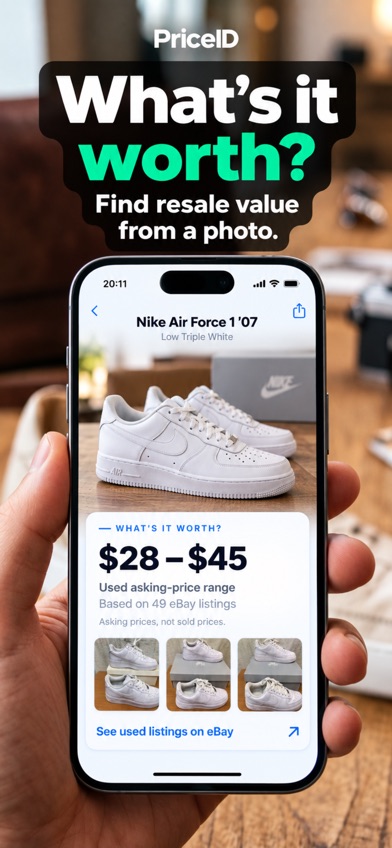
What's It Worth: Price Scanner is a photo-first price checker for buying and reselling. You can upload a camera photo, barcode, or screenshot; the app identifies likely products, finds retailer listings, and displays buying prices separately from an estimated resale range based on current used-item asking prices on eBay.
That split is its best idea. A thrift-store watch may cost $35 online while similar used listings ask $18, and those are very different signals. The app also suits screenshot shopping for sneakers, handbags, makeup, electronics, toys, dresses, jewelry, and tools. Text hints can narrow a visual match when the first result catches the category but misses the model.
This app ranks second despite having only five US App Store ratings. Its photo-to-price-and-resale workflow fits the query better than apps with millions of ratings, but five ratings tell you little about broad sentiment. It had 4.8 stars, launched June 19, 2026, and was updated September 29. You need iOS 18.0 or later, and the listed paid plans aren't cheap.
- Combines photo identification with retailer price comparison.
- Shows buying prices separately from estimated resale ranges.
- Accepts screenshots, saved photos, camera images, and barcodes.
- The US App Store had only five ratings when checked.
- The free trial's exact scan limit isn't stated; check the listing.
- Price
- Price checked October 2026: free to try; $5.99 per week or $39.99 per year.
- Platforms
- iPhone and iPad; iOS 18.0 or later is required.
Pick What's It Worth: Price Scanner if you start with a photo and need both shopping prices and an estimated resale range.
BuyVia Price Scanner
4.6 on the App Store (17,599 ratings)
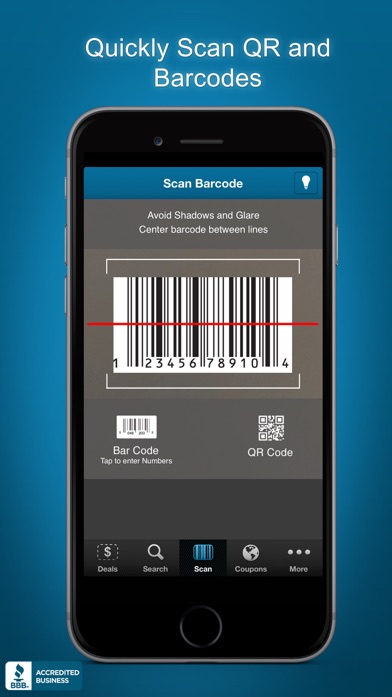
BuyVia Price Scanner is a direct, ad-supported price scanner. Point it at a UPC, EAN, QR code, or another supported barcode, and it searches for prices from stores named in the listing, including Amazon, Target, Walmart, and Best Buy. You can use it without creating an account.
BuyVia is less ambitious than ShopSavvy, but that simplicity has an audience. It keeps scan history in a shopping list, supports manual product search, and includes coupons or local deals. If you're in a big-box store and only need a quick check before asking for a price match, it has the right basic tools.
Its sharpest limit is stated in the listing: BuyVia isn't designed for products under $10, groceries, alcohol, or tobacco. Exact retailer coverage, alert behavior, and free scan limits aren't published. The US App Store listing had 4.57 stars from 17,599 ratings and was updated June 21, 2026.
- Works without an account.
- Scans several barcode formats and QR codes.
- Names major stores in its comparison coverage.
- Not designed for items under $10 or for groceries, alcohol, and tobacco.
- The free version is supported by ads.
- Price
- Price checked October 2026: free with ads; ad-removal purchases of $1.99, $2.99, and $12.99 were listed. Check the listing for each term.
- Platforms
- iPhone and iPad with iOS 15.6 or later.
Pick BuyVia Price Scanner if you want free, no-account barcode checks for mainstream retail products.
Google Lens
4.7 on the App Store (5,256,367 ratings)
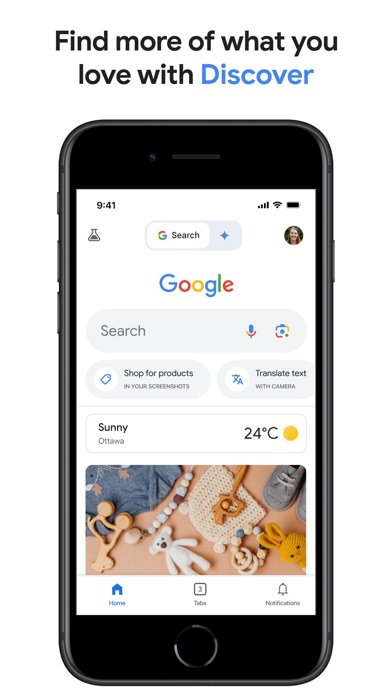
Google Lens is the easiest free starting point when you have a picture but don't know the product name. Lens can search from the camera or a saved image, find shopping pages, and accept extra words to refine the result. Add a color, brand guess, or model clue when the first match is too broad.
Google Lens beats barcode-only apps for unlabeled objects, furniture, clothing, and products spotted in social posts. It also runs on Android and the web. The Google iOS app had 4.65 stars from 5,256,367 ratings and was updated October 19, 2026, which shows a huge installed audience and recent maintenance.
For price checking, though, Lens is a discovery tool first. The supplied sources don't confirm dedicated price history, price-drop alerts, or a consistent cross-retailer comparison screen. Shopping links can still help you check prices manually, but ShopSavvy and What's It Worth organize that decision more directly.
- Free visual search from a camera shot or saved image.
- Searches unlabeled products that lack a usable barcode.
- Lets you add text to narrow visual results.
- Available on mobile and the web.
- Dedicated price history and price alerts aren't confirmed.
- A visual match can be a similar product instead of the exact model.
- Price
- Price checked October 2026: Google Lens is free; the Google app lists optional purchases for other services.
- Platforms
- iPhone, iPad, Android, and web; the iOS app needs iOS 16.0 or later.
Pick Google Lens if you need free visual product discovery and don't mind checking final prices yourself.

Amazon Shopping (Amazon Lens)
4.8 on the App Store (8,462,034 ratings)
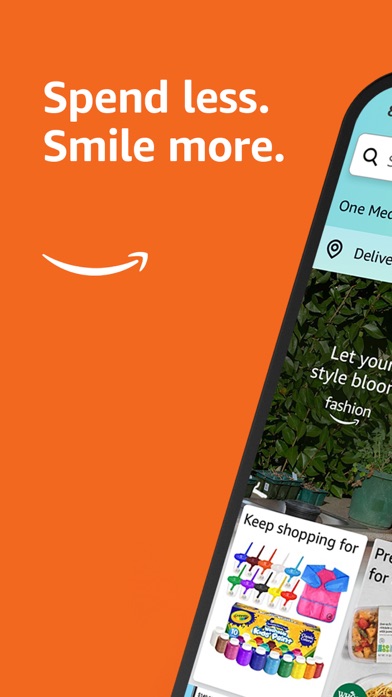
Amazon Shopping has Amazon Lens inside its search bar. Take a product photo or scan its barcode, and the app looks for a match in Amazon's catalog. Saved items can also trigger price-drop notifications, which is handy when you already expect to buy through Amazon.
Amazon Lens is strong at turning a physical box or mystery gadget into an Amazon product page with specifications, seller choices, reviews, and delivery information. The US App Store listing had 4.83 stars from 8,462,034 ratings and was updated October 20, 2026. That's the largest rating count in this group.
The tradeoff is scope. The supplied listing doesn't confirm broad comparisons against Walmart, Target, Best Buy, or smaller retailers. A low Amazon price may still lose once you check another store, and marketplace sellers can list different quantities or model revisions. Use it as an Amazon checker, then verify the exact seller, condition, shipping cost, and product version.
- Searches Amazon by product photo or barcode.
- Saved lists can send price-drop notifications.
- Product pages include seller, delivery, review, and specification details.
- Broad cross-retailer comparison isn't confirmed.
- Marketplace listings require checks for seller, condition, and model.
- Price
- Price checked October 2026: free. Listed in-app purchases relate to other Amazon services.
- Platforms
- iPhone and iPad confirmed; the iOS app needs iOS 16.0 or later.
Pick Amazon Shopping if most of your purchases happen on Amazon and you want photo or barcode lookup within its catalog.
eBay (image search)
4.8 on the App Store (4,969,496 ratings)
eBay is useful when the item in front of you is used, discontinued, collectible, or hard to name. Image search can turn a photo into matching or similar eBay listings across categories such as sneakers, watches, trading cards, jewelry, electronics, handbags, and vintage clothing.
The listing pool is the real advantage. A conventional retail price checker may have little to say about an old camera lens or a toy missing its packaging; eBay may have several comparable listings. The app also connects buying and selling, so you can continue from research to creating a listing.
Treat asking prices as seller expectations. They aren't proof that an item sold for that amount, and the supplied sources don't confirm sold-price analysis, price history, or comparisons beyond eBay. The iOS app had 4.82 stars from 4,969,496 ratings, was updated October 17, 2026, and requires iOS 18.0 or later.
- Searches a large pool of new and pre-owned marketplace listings.
- Image search helps with products that lack packaging or barcodes.
- Strong category fit for collectibles, vintage goods, and discontinued items.
- Asking prices don't confirm the eventual sale price.
- Cross-retailer comparison and sold-price analysis aren't confirmed.
- Price
- Price checked October 2026: free.
- Platforms
- iPhone and iPad confirmed; iOS 18.0 or later is required.
Pick eBay if you're researching used, collectible, vintage, or discontinued items.
Lens AI outfit finder
Lens AI outfit finder is the specialist pick for clothing. Upload an outfit photo, thrift-store picture, or screenshot; it returns likely garment names, useful style terms, and visually similar shopping matches. The web tool accepts JPG, PNG, WebP, and HEIC files up to 50MB.
That focus helps when you can't describe the item. A tight crop around one jacket is more useful than typing a vague phrase about an entire outfit. Visible seams, necklines, prints, labels, and hardware can help narrow the shortlist. The developer page says the tool is free to try on iPhone, Android, and the web.
This ranks last for the broad price checker query because identification comes before comparison. The supplied material doesn't confirm a multi-store price table, price history, alerts, exact paid prices, or verified App Store and Google Play rating counts. It's also described as a shortlist tool, not a brand, material, size, or authenticity checker.
- Built specifically to identify clothes from an image.
- Returns garment terms and visually similar shopping matches.
- Accepts common image formats through a web uploader.
- Verified store ratings and update dates weren't supplied.
- Paid pricing and exact free limits are unknown; check the listing.
- Results don't authenticate a brand or confirm material and size.
- Price
- Price checked October 2026: free to try; check the listing for paid pricing.
- Platforms
- iPhone, Android, and web, according to the official product page.
Pick Lens AI outfit finder if your price search starts with an outfit photo and identifying the garment is the first hurdle.
ShopSavvy vs What's It Worth: Price Scanner
These are the two closest fits, but they start from different clues. ShopSavvy is built around exact products, retailer comparison, and price tracking. What's It Worth starts with photos and screenshots, then adds separate buying and estimated resale information.
| Point | ShopSavvy | Rival |
|---|---|---|
| Best input | Barcodes and typed product searches | Photos, screenshots, barcodes, and text hints |
| Price context | Current retailer prices, history charts, and alerts | Retail buying prices plus estimated resale ranges |
| Free access | Ad-supported free version; exact quota unknown | Free to try; exact scan limit unknown |
| Paid price | Pro starts at $1.99 weekly | $5.99 weekly or $39.99 yearly |
| Device reach | iPhone, iPad, Android, web, desktop, and extensions | iPhone and iPad with iOS 18.0 or later |
ShopSavvy wins for routine shopping because it has broader device support, price history, and price-drop alerts. It's the app I'd choose for checking a boxed product in a store or watching an online price for a week.
What's It Worth wins when you have a screenshot, an unlabeled item, or a resale question. Its separate buying and estimated resale views give you information ShopSavvy isn't documented to provide.
What to check before downloading a price scanner
Retailer and product coverage
Start with the stores you actually use. An app that checks Amazon, Walmart, Target, and Best Buy may suit mainstream electronics, while eBay is more useful for collectibles and used goods. No price checker covers every seller. Look at the result list before trusting a lowest-price label, especially when regional stores or specialty shops could have a better deal.
Exact product matching
Barcodes are usually the better input for packaged goods because they target a specific UPC or EAN. Photos help when the barcode is missing, the item appears in a screenshot, or you don't know its name. Visual matches can be close without being exact. Verify model number, size, color, storage capacity, quantity, condition, and included accessories before comparing prices.
The final checkout cost
A $40 listing can cost more than a $44 listing after shipping, taxes, membership rules, or marketplace fees. Stock can disappear between the scan and checkout, too. Open the retailer page and confirm the final total. In a physical store, check the shelf label and register price before asking for a match; the app's result isn't the amount the cashier is required to accept.
Price history and alerts
A current low price doesn't tell you whether the product was cheaper last week. Price-history charts help with purchases you can delay, while alerts suit items that go on sale often. ShopSavvy is the strongest documented option here. If an app has no history, compare a few stores and decide whether the savings justify waiting.
Accounts, ads, and permissions
Check what the free tier asks for. BuyVia says you can scan without an account, while other apps may use accounts for watchlists or synced history. Camera access is expected for scanning; location, browsing, contacts, and purchase-history access deserve a closer look. Read the privacy label and policy, then turn off permissions that aren't needed for your chosen workflow.
Frequently asked questions
What is the best free price checker app?
ShopSavvy is the best free price checker app for most shoppers because its ad-supported tier includes barcode lookup, retailer comparison, price history, and alerts. Exact free usage limits aren't published.
Can I scan a barcode to compare prices?
Yes, a barcode-capable price checker can use UPC, EAN, or similar codes to locate matching products. Always verify the model, quantity, condition, and final checkout price.
What app tells me how much an item is worth?
What's It Worth: Price Scanner identifies an item from a photo, screenshot, or barcode and shows an estimated resale range based on current used-item asking prices. Asking prices are estimates, so condition and accessories can change the result.
What is the best app to find clothes from a picture?
Lens AI outfit finder is the most focused choice here for naming garments and finding visually similar shopping matches. Lens AI outfit finder doesn't confirm brand authenticity, size, or material.
Are shipping and taxes included in price checker results?
Shipping and taxes aren't guaranteed to appear in every price checker result. Open the retailer page and confirm the payable total before buying.
What if the barcode doesn't scan?
Try typing the product name or model number, or use a clear photo if the app has visual search. Check the barcode for glare, damage, and poor lighting before rescanning.
How current are prices in price checker apps?
Price freshness varies by retailer and app, and a listing can change before checkout. Confirm price and stock on the retailer's page or at the register.
The price checker we'd download first
ShopSavvy is the best price checker app for most US shoppers in 2026. It combines barcode search, broad retailer comparison, price history, and alerts in a useful free tier. Pick What's It Worth when your search starts with a photo or you need an estimated resale range; choose Google Lens for free visual discovery, or BuyVia for simple no-account barcode checks.
What's It Worth is best for comparing buy and resale prices
What's It Worth: Price Scanner is worth trying for one specific feature: it separates retailer buying prices from an estimated resale range based on current used-item asking prices. That helps when a thrift find, old gadget, handbag, sneaker, watch, or social-media screenshot raises two questions at once: what does it cost, and what could mine be worth?
It's best for iPhone and iPad users who shop from photos and sometimes resell. The small rating sample and iOS 18 requirement make ShopSavvy the safer general recommendation.